
By Dr Tristan Jenkinson
The CSI Linux CTF – Shake the Cobwebs
As discussed in Part One, I took part in the CSI Linux CTF event over Christmas. The CTF required writing up a report of findings, and I thought that it might be helpful to share the content of my report.
Part One covered the introduction and the first puzzle which related to the analysis of an audio file… as part of that analysis, some data apparently in Morse code was found. This section deals with the Morse code and related further investigation work from the CTF, including information from Die Hard (unquestionably a Christmas movie!).
Enjoy!
Morse Code and More (Q2, Q3)
What Else Was Found
Upon submitting my answer for Q1, I was presented with the below information:
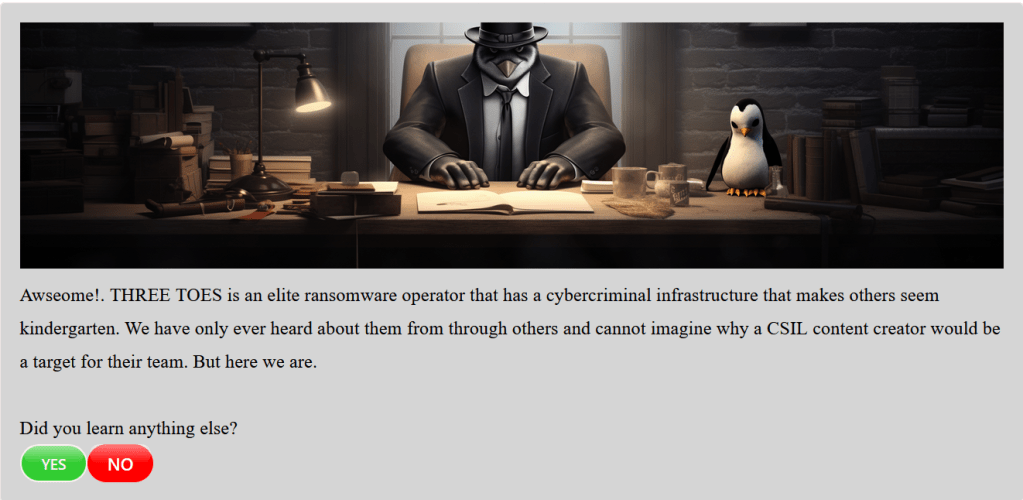
As I have not yet provided any information about the Morse code that was found and decoded, I clicked on Yes.
Q2: Some Sort of Code
Upon responding, I received the below information:

As noted above, I did identify that Morse code is present, so the response to Q2 is morse code.
Q3: Morse Code Analysis
Upon responding, I received the below information:

To answer this, I first decoded the Morse code, then took some additional steps.
To decode the Morse code, I returned to my CSI Linux virtual machine, and the analysis in Audacity version 3.1.3.
As discussed in Section 2 (Covered in Part One of this blog series), the spectrogram clearly shows short and long characters, representing the dots and dashes of Morse code, with longer spaces between characters representing letter breaks.
To decode, I took sections of the spectrogram view, representing approximately 8-10 characters at a time, and manually converted them to dots and dashes, with spaces between each letter.
I then used CyberChef to decode the Morse Code.
CyberChef is a free tool made by GCHQ (a UK Government intelligence and security organisation). It is available at https://gchq.github.io/CyberChef/ and can be used online, or locally downloaded.
To perform the conversions in CyberChef I used the “From Morse Code” Recipe with Letter delimiter set to the space character, and line feed as the word delimiter. Providing as input the dots and dashes from each section. For example, the first section (covered further below) looks like this in CyberChef:

To note, based on the above, it appears that the message starts with a webpage.
The full decoding in sections in below, including the section from the spectrogram view, then the conversion to dots and dashes, and then the decoded text from CyberChef:

…. – – .–. … —… -..-. -..-.
HTTPS://

.–. .- … – . -… .. -. .-.-.-
PASTEBIN.

-.-. — — -..-. –… …– ….- .—-
COM/7341

….. ….- ….- -…. ….- -… ….. …..
54464B55

-…. –… ….. ….- .-… .–. .- …
6754&PAS

… .– — .-. -.. .. … -.. . ..-.
SWORDISDEF

.- ..- .-.. – ..-. — .-. -.-.
AULTFORC

… .. .-.. .. -. ..- -..- .-.-.-
SILINUX.
To note, on occasion, pasting in the dots and dashes can result in a series of three dots being replaced by an ellipsis character. If recreating the above process, you can try pasting to an intermediary file, such as notepad, or manually ensure that all ellipsis characters are correctly replaced with three separate dot characters when inserted to CyberChef.
Putting all of the above together, the below message is generated:
HTTPS://PASTEBIN.COM/734154464B556754 & PASSWORDISDEFAULTFORCSILINUX.
The message includes a website, and the text “password is default for CSI Linux”.
The Default Password
To progress, as per the Morse code message, I would need to identify the default password for CSI Linux.
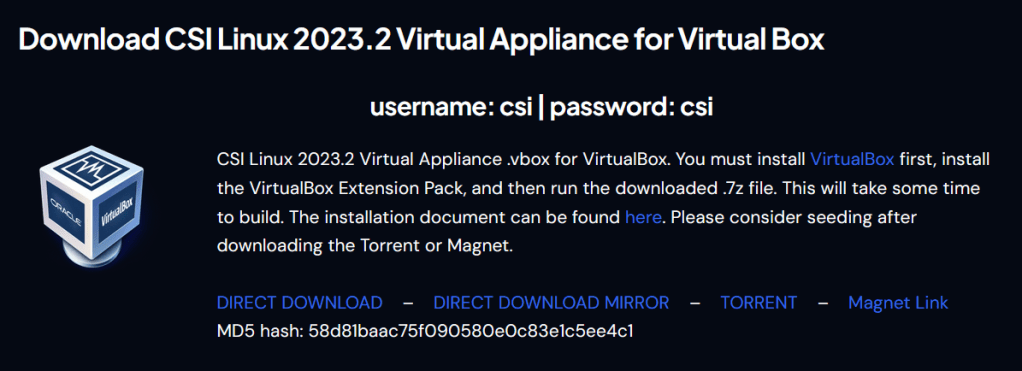
As noted above, in section 2.4.2, the default password for CSI Linux is “csi”. This can also be directly verified from the CSI Linux downloads page, available at https://csilinux.com/csi-linux-downloads/. A screenshot of the relevant section is below:
The PASTEBIN Address
If you go to https://pastebin.com/734154464B556754, the page is not found, as shown below:
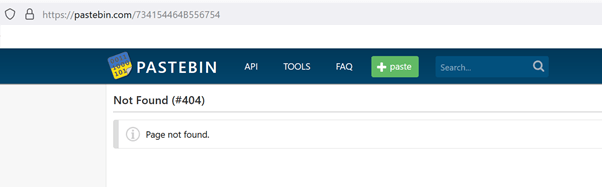
It appears that the address is not correct, or not in the right format.
In order to run a comparison, I created a quick example pastebin site, also using a password.
To do this, I went to pastebin.com. The homepage gives you an option directly on the page to create a “new paste”. I filled this in with the text “This is a test”, and added a password of “test”. I then clicked on Create New Paste to create the paste. A screenshot showing this is below:

The example site created was given the web address https://pastebin.com/gUnxCfpY.
The final section of the URL (after the last ‘/’) is not in the same format as the information decoded from the Morse code. To compare, the generated example is gUnxCfpY whereas the information decoded from Morse code is 734154464B556754.
In the created example, there are fewer characters than the decoded Morse code data. In addition, the decoded Morse code data was numeric with a single letter character ‘B’.
As the decoded Morse code address contains just numbers and the character ‘B’, it could be a hexadecimal value.
CyberChef can convert the hexadecimal value to the ASCII characters that they represent. I used the recipe From Hex, and put the value 734154464B556754734154464B556754 as input. As shown in the below screenshot, the output is sATFKUgT. This looks much more similar to the example site that was created (which used “gUnxCfpY”).
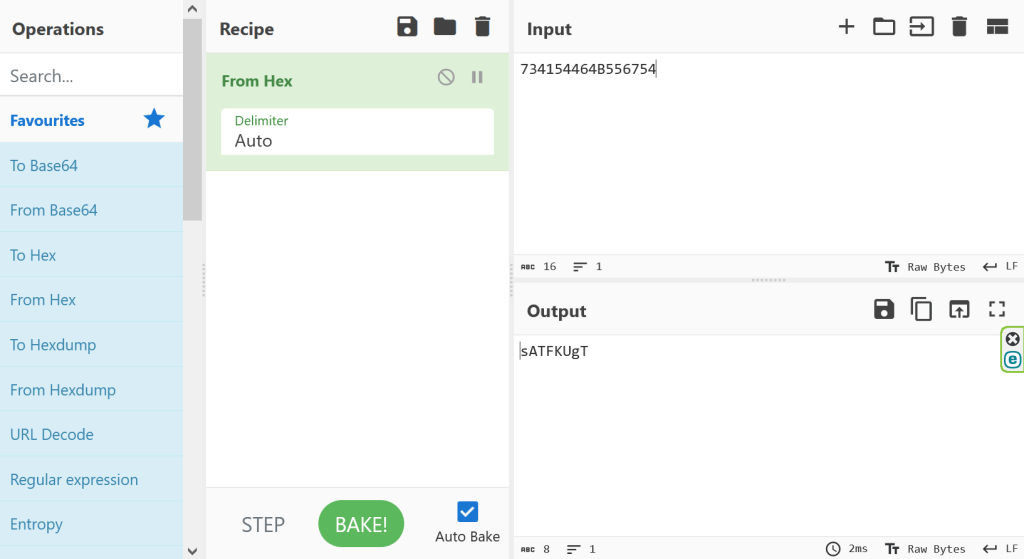
The next step is therefore to test the below location
https://pastebin.com/sATFKUgT.
Browsing to this web address results in a message that says “Locked Paste” and a box to enter the password. This suggests that this is a legitimate page (recall previously a page not found error was generated) and also that it has a password. This was expected given the message decoded from Morse code.
Based on the information from section 3.4, the password should be “csi”. Entering this gains access to the information on the page. The page contains the below text:
G’day Investigator,
Well done for arriving here. Now, before we go deep, I feel compelled to say that life is always stranger than fiction and bias will always block brilliance. WTF!?! To get here you had to not just listen but hear something that was intentionally being obfuscated. Then once you finally heard the MORSE CODE, you then followed instinct or flipped a coin and got the audio file for analysis. That was a form of steganography. (Or US politics. You pick)
Now you will embark on a challenge that may require you to think outside the box. Keep in mind that the subjects in all instances are always looking for ways to slip one over on those they hide from. That translates to what may seem completely off in left field to you, but may very well be just another day at the office for them. Remember, never overlook the obvious just because you think you are looking for something not seen.
WW91ciBkZWF0aCBkYXRlIGluZm8gaXMgaW5zY3JpYmVkIG9uIFJhcCBHb2QncyBncmF2ZSEgQnV0IHRoZXkgYXJlIG5vdCB3aG9tIHlvdSBzZWVrLiBSYXRoZXIsIG9uY2UgeW91IGhhdmUgYXJyaXZlZCwgdGhlIGRhdGUgeW91IHNlZWsgaXMgZm9yIHRoZSBvbmNlIHJlYWwtbGlmZSB3aWZlIG9mIEpvaG4gTWNDbGFuZS4=
The Hidden Message from Pastebin
The last section of the message recovered from Pastebin is encoded. Based on the format (upper and lower case letters, numbers and especially ending with an ‘=’ character, which is a padding character used in base64 encodings) it appears likely that this is encoded in base64 format.
Using CyberChef, and the From Base64 recipe, I was able to decode the hidden message from Pastebin, as shown below:
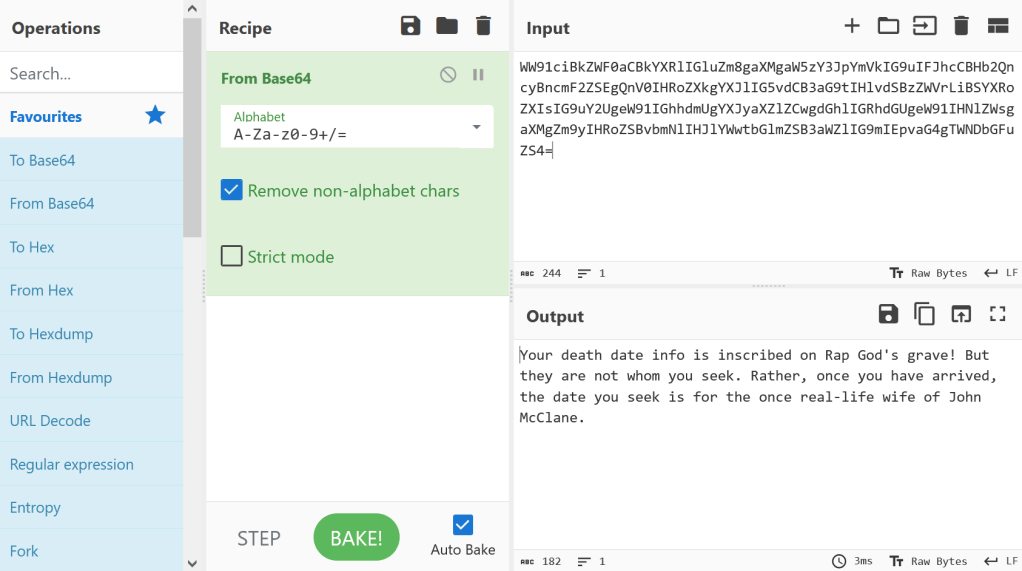
The decoded text reads:
Your death date info is inscribed on Rap God’s grave! But they are not whom you seek. Rather, once you have arrived, the date you seek is for the once real-life wife of John McClane.
Identifying the “once real-life wife”
To recap, the latest question (Q3) is asking us:
“What is the name of the person the message asked you to identify?”
The decoded message directs us to seek information regarding “the once real-life wife of John McClane”.
I am aware that John McClane is the name of the character played by Bruce Willis in the Die Hard films. However, this is easy to confirm, for example by searching in Google for “John McClane”, the response clearly identifies this information. For example, the “About” page brought up by Google shows information as below:

As noted above, the decoded message talks about the “real-life” wife, indicating that the required response relates to a wife of the actor who plays John McClane – Bruce Willis. Clicking on the link here to Bruce Willis brings up the below “About” section:
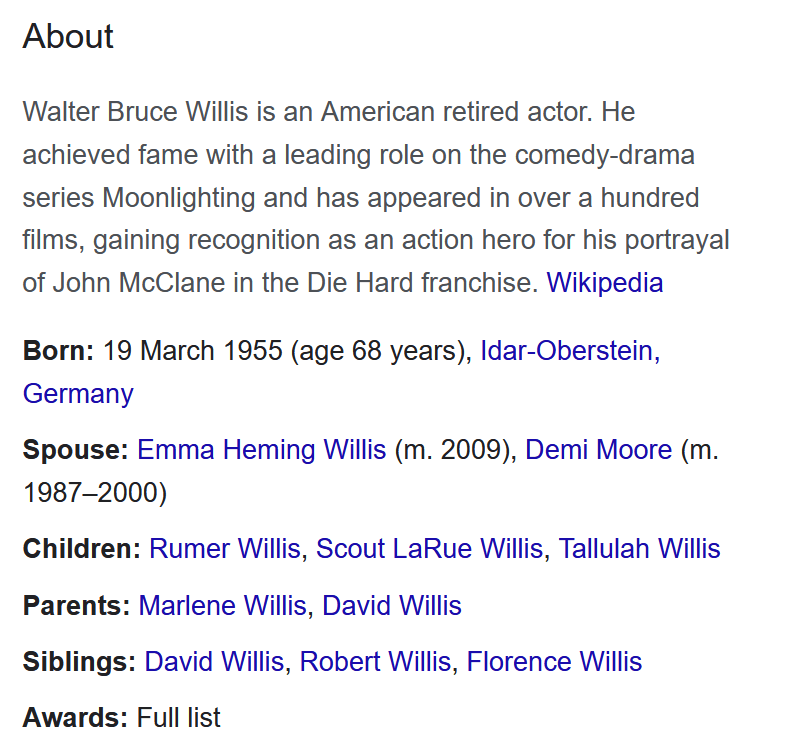
There are two spouses listed, his current wife, Emma Heming Willis, and his former wife, Demi Moore.
Note that the decoded message relates to “the once real-life wife”, suggesting that they are no longer married to Bruce Willis. This would suggest that the answer sought is Demi Moore.
I therefore supplied the answer demi moore for Q3.

 The eDiscovery Channel
3 thoughts on “Shaking the Cobwebs CTF Part Two – Morse Code and More”