
By Dr Tristan Jenkinson
Introduction
This month Bellingcat are running a series of OSINT challenges, each week a new set of five challenges is posted for that week. Last week, the “Bellingcat Globetrotter” series focused on geolocation challenges, this week the “Maritime Mysteries” series is focused on sea, ships, and similar. Knowing that Rae Baker specialises in maritime intelligence, I pulled my copy of Deep Dive (which I would highly recommend) from the shelf, ready for action. It has a great chapter titled Transportation Intelligence, some of which is specifically focused on maritime vessels (for example providing background on port calls, covered in the Cyrillic Confusion challenge).
If you haven’t already dived in, you can join in the fun at challenge.bellingcat.com (and you should stop reading now, because there are solutions for all the challenges from week 2 below!!)
Let’s jump into the approaches that I took to each of the challenges this week.
Fully Stocked
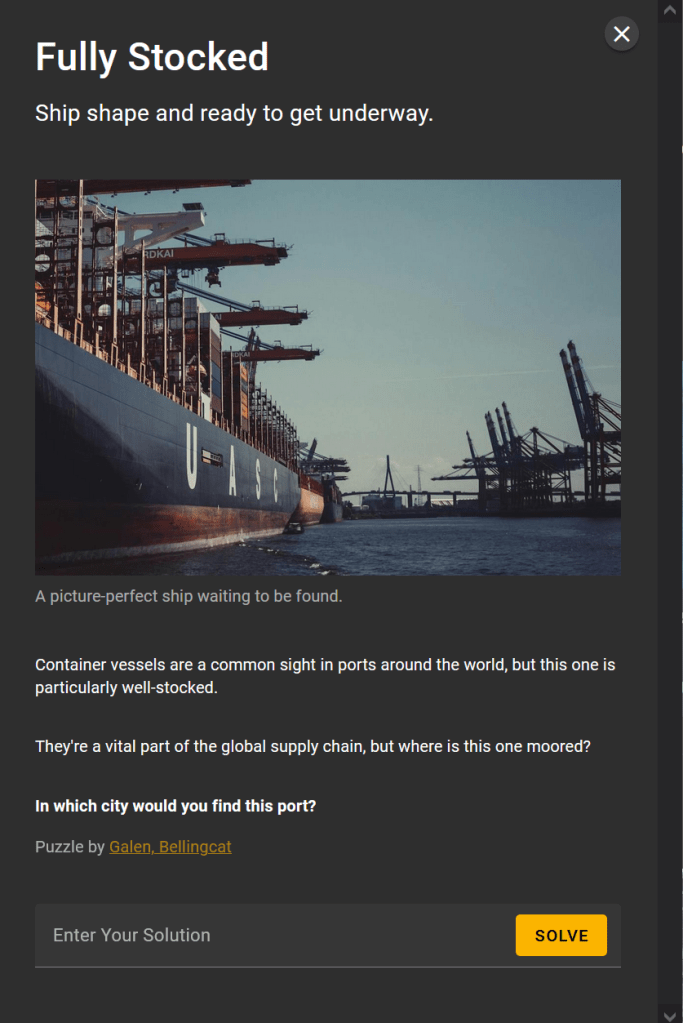
Inspired by a recent Benjamin Strick post, part of his OSINT Advent series (https://x.com/BenDoBrown/status/1865750393365709054), I thought that I would give an automated AI approach a try.
I fired up Geospy.ai, uploaded the image (having saved a copy of the file using right click save as), and let the AI have a think.
Geospy.ai comes back suggesting that the images was taken in Hamburg, with a location marked on the map, and the below notes on its thinking:
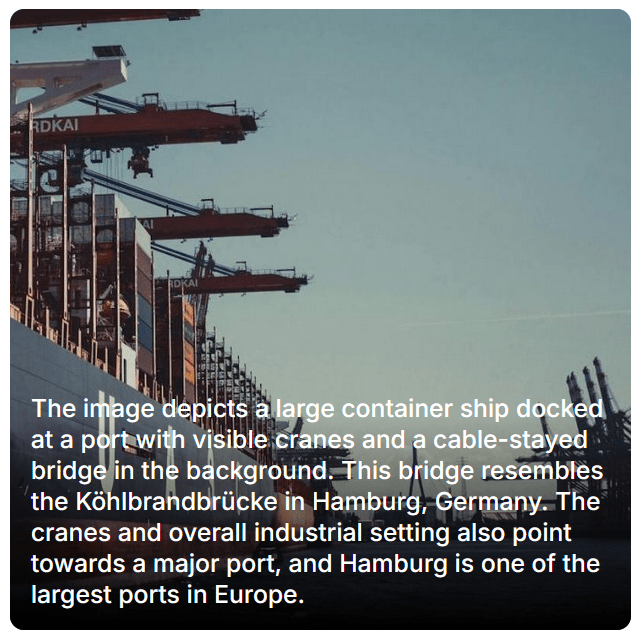
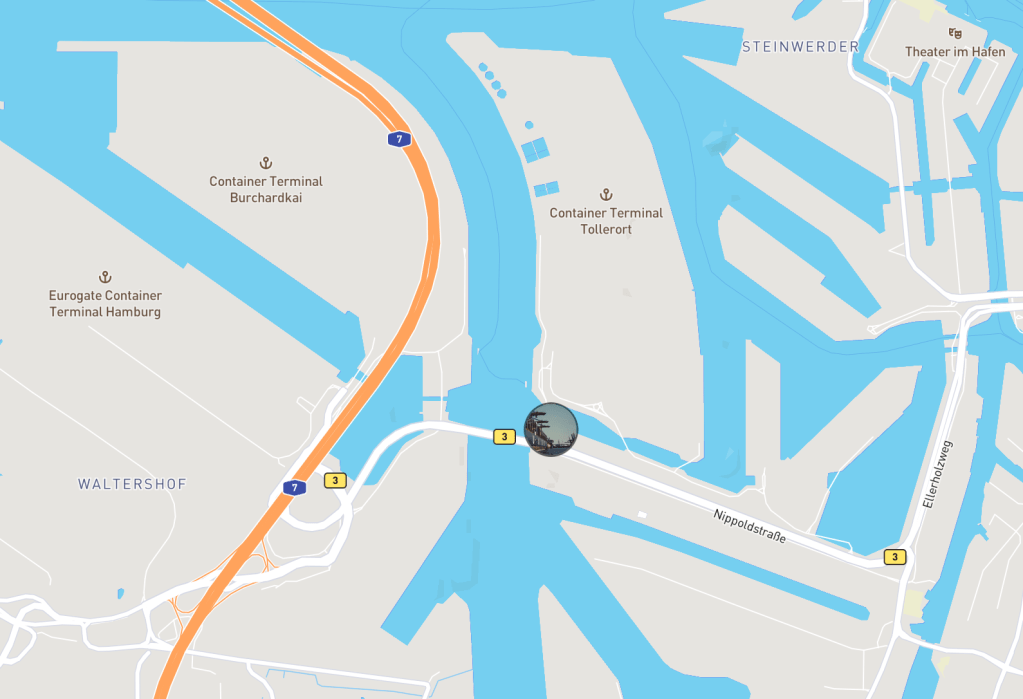
This seems a sensible suggestion, but I was not about to simply “trust” AI and assume that it was correct, especially having never used this application before. My approach was to take this as a possible location, and then to dive further manually to try and verify.
The mentioned Köhlbrandbrücke bridge, runs across the water nearest the pinned image in the above map from Geospy.ai.
Let’s take a look on Google Maps, and see if this looks a likely location.
Searching Köhlbrandbrücke in Google maps, it is easy to locate. There are a number of photo points nearby (some of which are taken from the inside of boats… so not overly helpful).
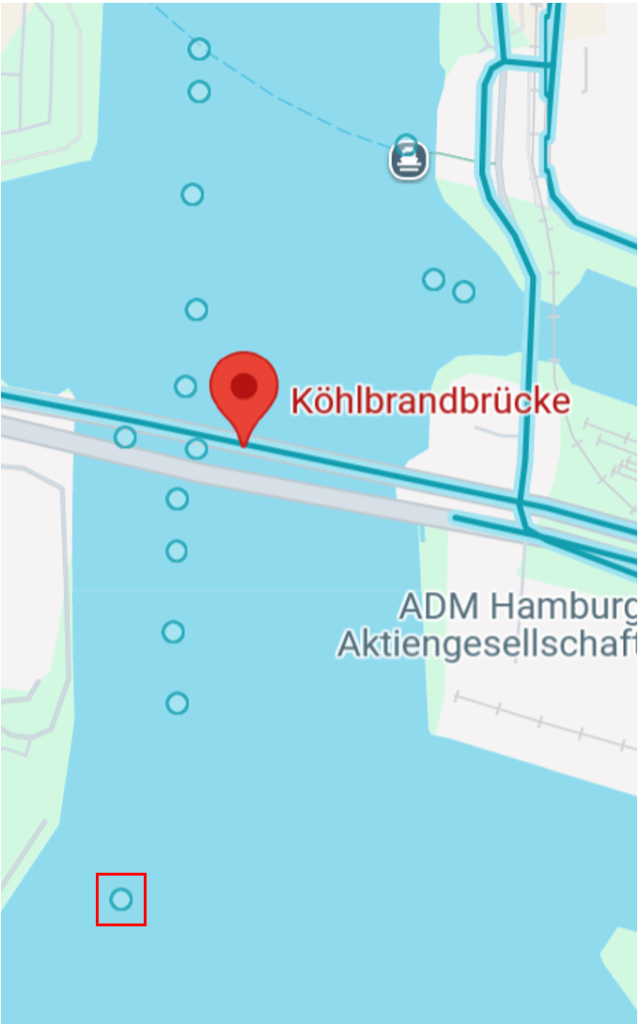
One good example is posted by Mike Cramer from August 2017:
Looking towards the bridge, we can indeed see that this is similar to what we see in the photo we are trying to locate. From Mike Cramer’s photo on Google maps:
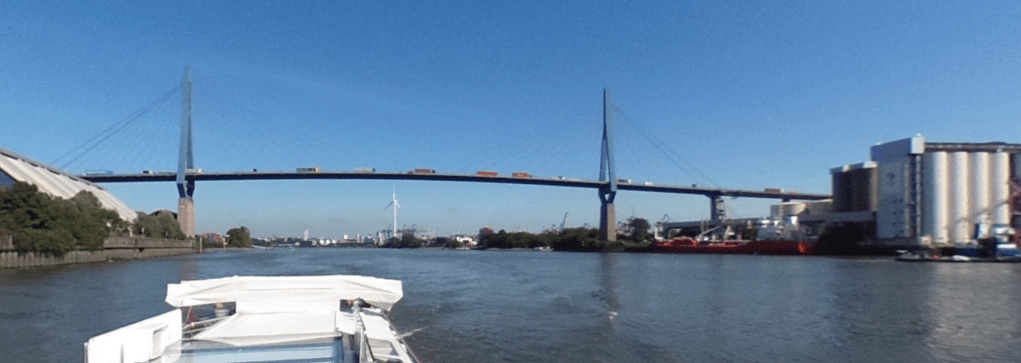
Compared to the image we are looking to locate:
If we shift our view to the left in Mike Cramer’s photo, we can find a large pylon – similar to that in the image we are looking to locate:
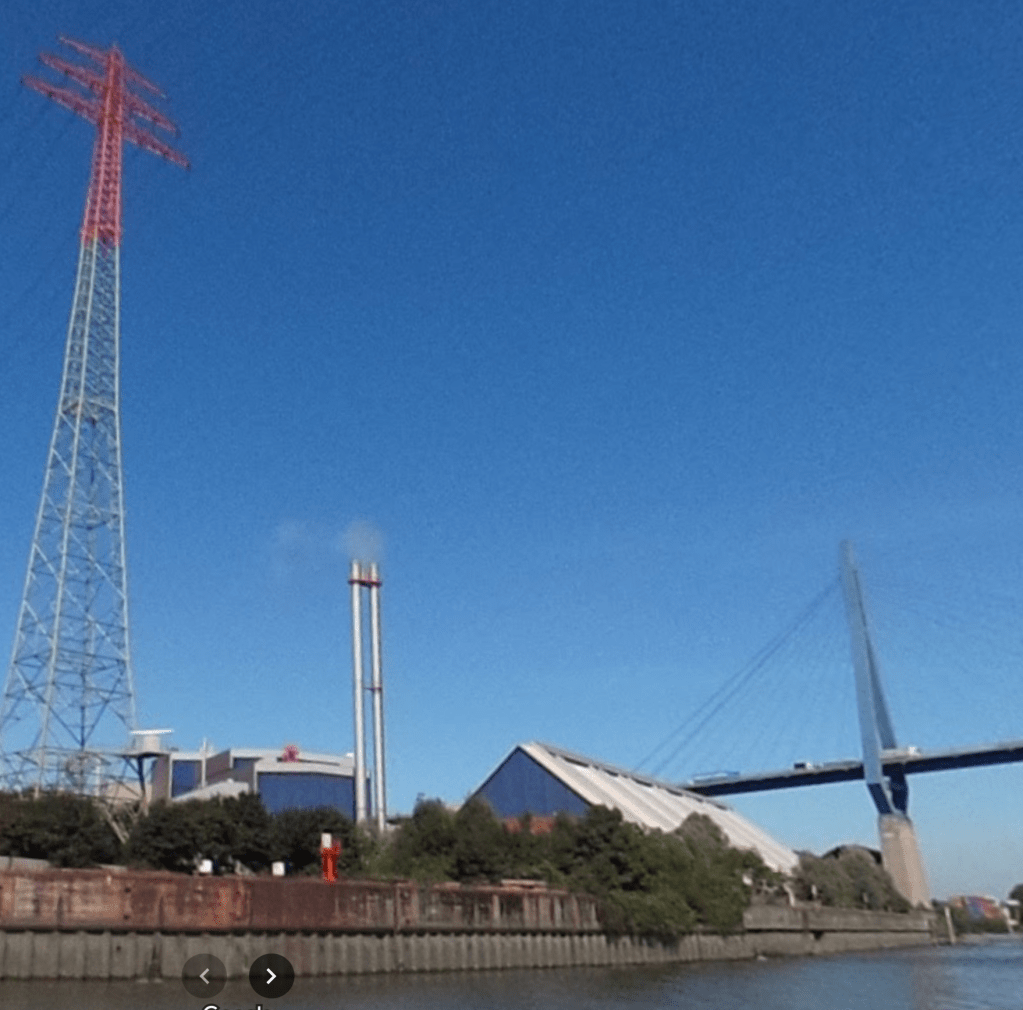
The fact that the pylon matches the style in the photo we are trying to locate is again a large indication that we are likely in the right place… but this is not enough for verification.
Also, looking at the location of the pylon, here it is nearer to the camera than the bridge (whereas that reverse is true in the image we are trying to locate. Therefore if this is the pylon in the photo we are trying to locate, then the photo must have been taken from a slightly different location, perhaps the other side of the bridge.
Looking for other locations, I was able to identify locations for the locating of container ships, including the cranes… obviously these were good places to check. There are a number of container terminals around, but looking for these near to the bridge, I found the HHLA Container Terminal and the EUROGATE Container Terminal, shown in the map below:
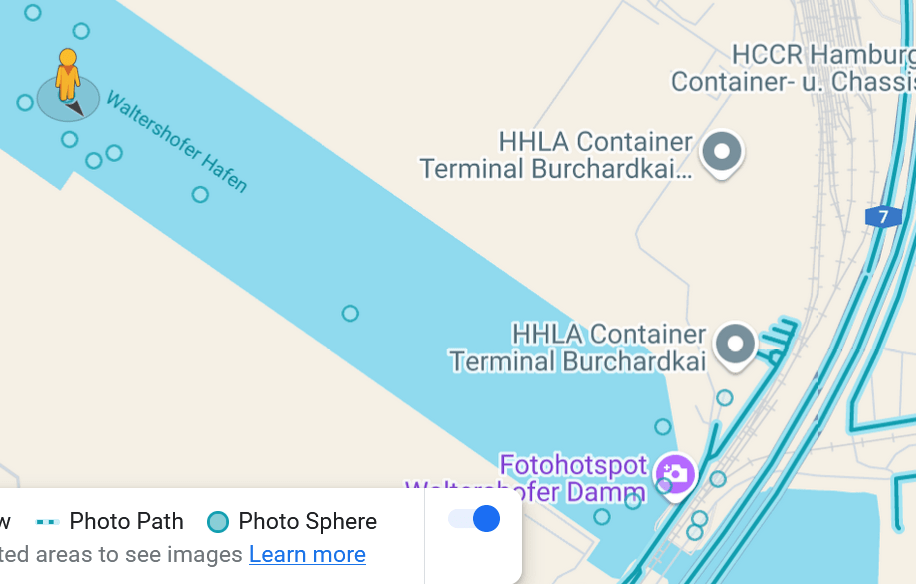
Using the selected location on the map, the image was as below:
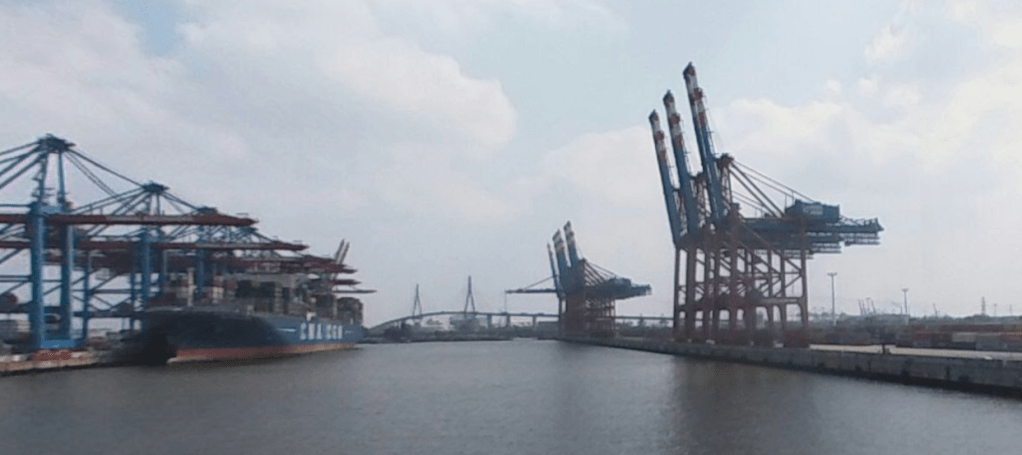
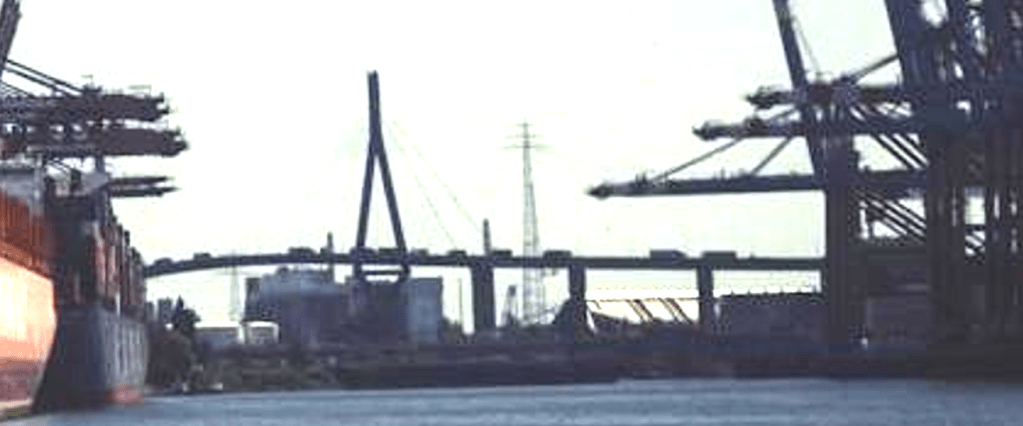
Here we can see sets of cranes, and the view of the bridge from the right soft of angle, and we can also see what looks like a pylon in the right position.
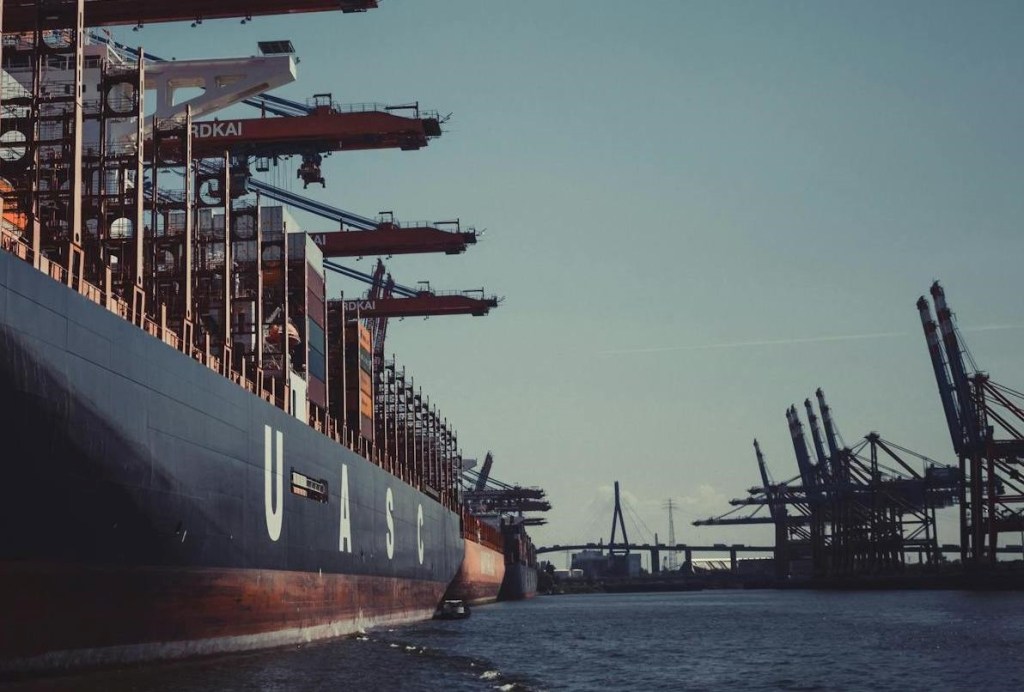
A comparison to the original again, shows the similarities:
Although likely overkill, I looked at some of the other photos nearby (including this one posted by Lars Moser in August 2018) https://www.google.com/maps/@53.5333252,9.9104671,3a,75y,99.04h,102.84t/data=!3m7!1e1!3m5!1sAF1QipOp85FyBe-Ki1DcGsxAJkjiAu91_5AFYTiTQdF1!2e10!6shttps:%2F%2Flh5.googleusercontent.com%2Fp%2FAF1QipOp85FyBe-Ki1DcGsxAJkjiAu91_5AFYTiTQdF1%3Dw900-h600-k-no-pi-12.842056647276266-ya265.54113935910937-ro0-fo100!7i5660!8i2830?entry=ttu&g_ep=EgoyMDI0MTIwNC4wIKXMDSoASAFQAw%3D%3D
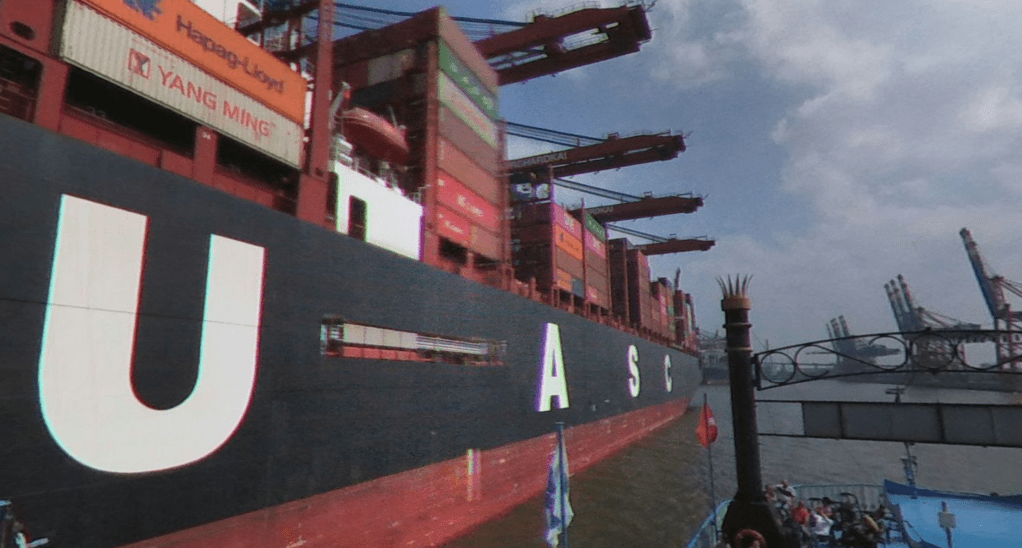
We can now see another UASC ship (United Arab Shipping Company), the same owner as the ship shown in the photo to be located. We can also see the bridge in the distance as well as the sets of cranes.
Zooming in, we can also see the lettering on the cranes ends “… CHARDKAI”

This also matches with the image that we are looking to locate, where we could see “… RDKAI”, as shown below:

This does indeed appear to be the right location. A win for AI (this time).
Solution: Hamburg
Operation Fleet Finder
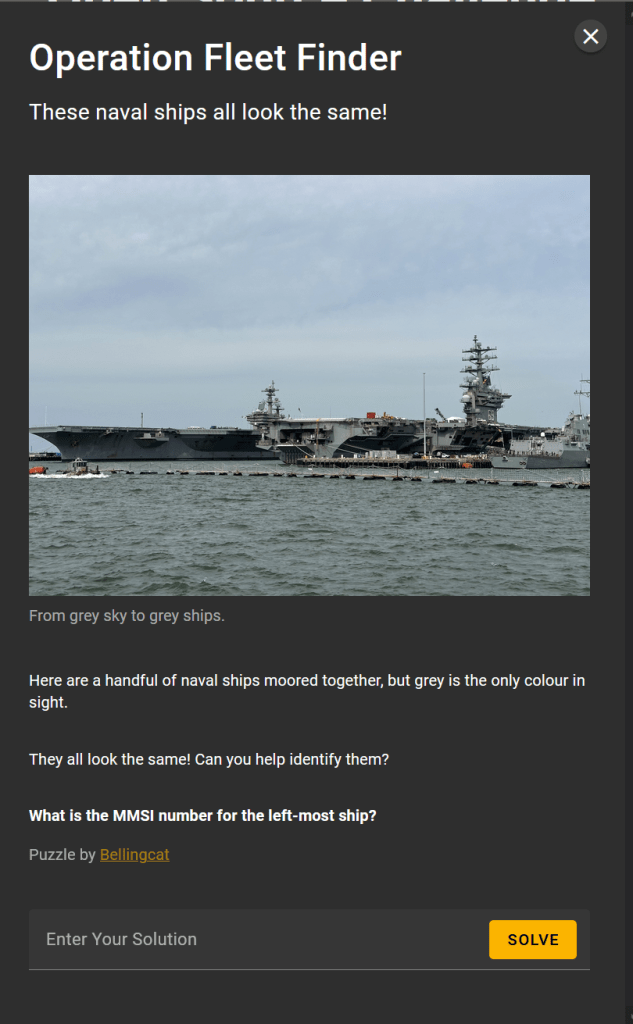
We want to identify the ship on the far left, which, from the basic shape, appears to be an aircraft carrier.
From the left, about three quarters across, we can clearly see that the middle ship has “69” emblazoned on the side. A simple Google search will identify that this is the USS Dwight D. Eisenhower.
From the photograph, the description (“naval ships moored together”) and the photograph name (“military_shipyard-CEWyEkMk”), it appears that this photograph was taken at a naval shipyard. With this in mind it seems likely that, since one of the ships is a US aircraft carrier, that the other will be US based as well.
It is helpful to note that there are only 11 aircraft carriers currently in use by the US Navy. A list of them can be found on Wikipedia – https://en.wikipedia.org/wiki/List_of_aircraft_carriers_of_the_United_States_Navy#List.
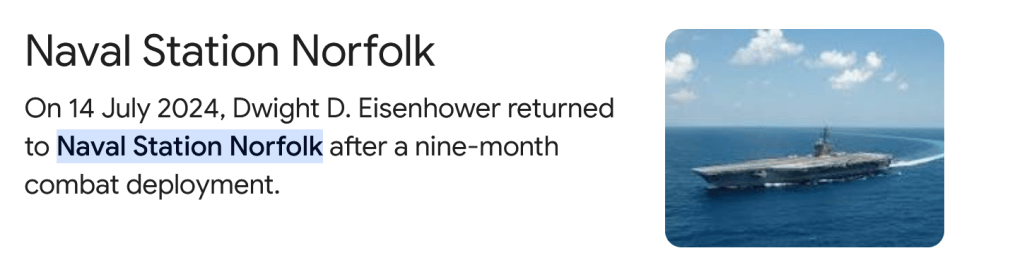
We know one of the ships in the photo provided is the USS Dwight D. Eisenhower, so we can identify where this ship is stationed (Google search for where is the USS Dwight Eisenhower aircraft carrier stationed):
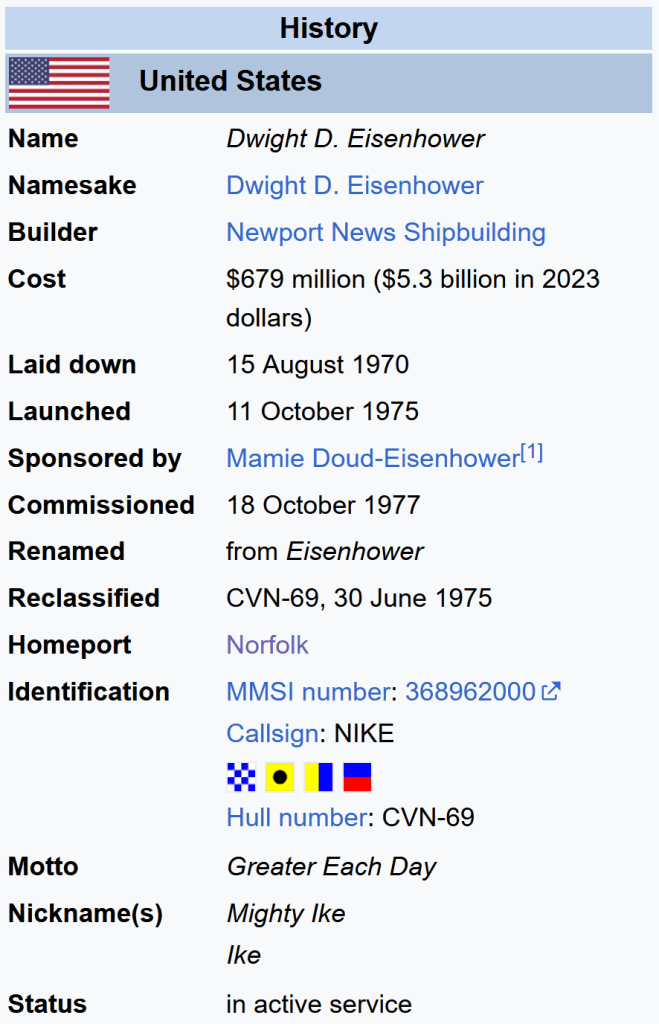
Also, from the Wikipedia page for the USS Dwight D Eisenhower, we have the below, stating the Homeport is Norfolk.
It is likely that we can then look up the other aircraft carriers based at Norfolk, again based on information from Wikipedia (https://en.wikipedia.org/wiki/Naval_Station_Norfolk):
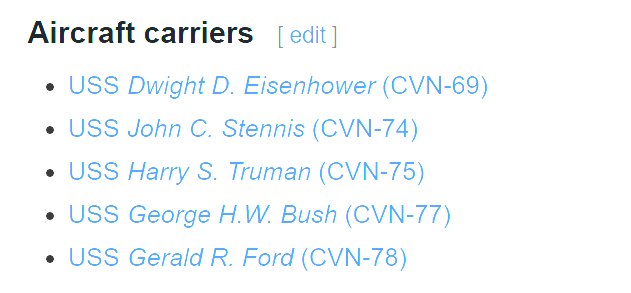
We can now focus on these four to see if they match the details in the image provided.
One easy area of comparison is the structure of the control tower, while small changes (such as to the radar dishes, and protective domes for various antennae) may occur over time, the overall structure is unlikely to change.
Photo we are looking to match:
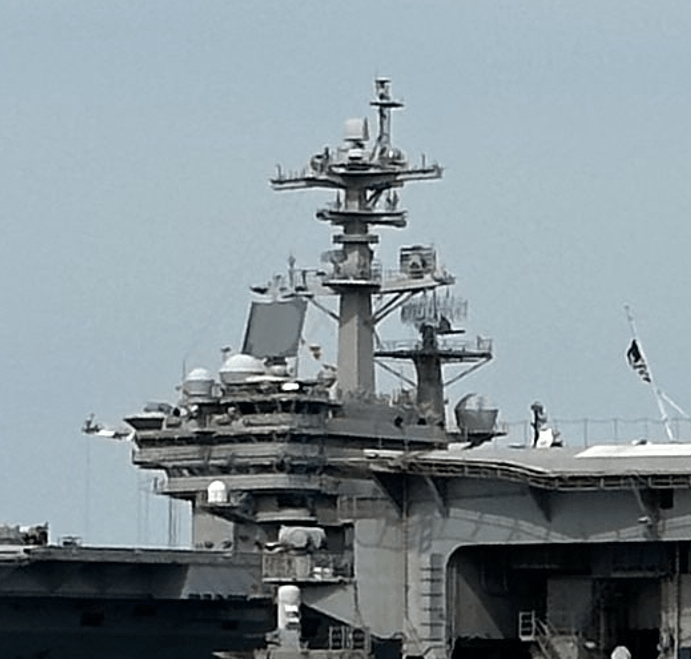
The control tower we are looking to match, against that of the John Stennis (from https://upload.wikimedia.org/wikipedia/commons/1/1f/US_Navy_030403-N-4768W-062_USS_John_C._Stennis_%28CVN_74%29_underway_off_the_coast_of_southern_California.jpg).
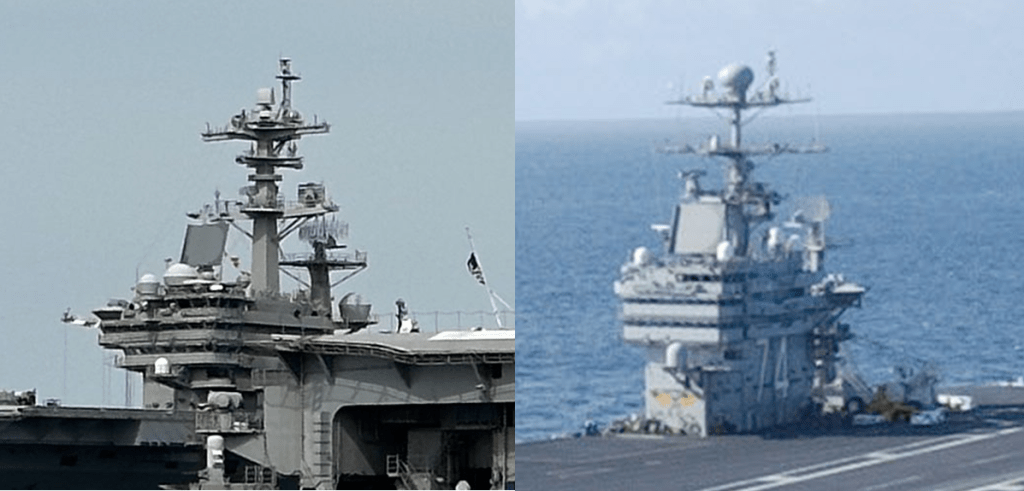
We can see that this is clearly a different design, so we can rule this out.
Compared to the USS Harry Truman (from https://upload.wikimedia.org/wikipedia/commons/f/fe/USS_Harry_S._Truman_%28CVN-75%29_underway_in_the_Atlantic_Ocean_on_11_September_2018_%28180911-N-EA818-2106%29.JPG_):
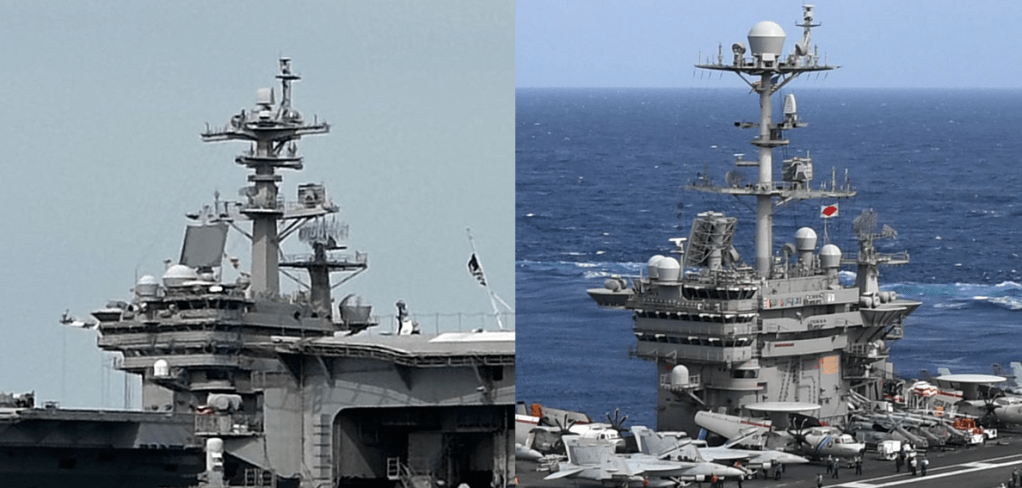
While this is much more similar, there are a number of differences, such as the difference in height between the platforms at the top, and the design of the supports for the top platform.
Compared to the USS Gerald Ford (from https://upload.wikimedia.org/wikipedia/commons/5/52/USS_Gerald_R._Ford_%28CVN-78%29_underway_in_the_Atlantic_Ocean_on_9_October_2022_%28221009-N-TL968-1248%29.JPG):
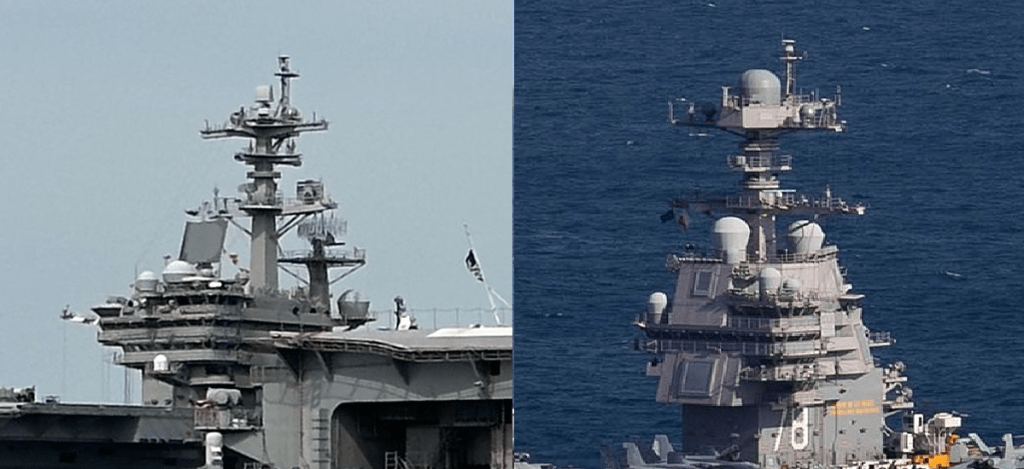
Again, this is a very different structure, note the solid fronts with what look like “windows” installed on the USS Gerald Ford, but not on our example ship.
That leaves the USS George H. W. Bush (from https://upload.wikimedia.org/wikipedia/commons/1/18/US_Navy_110129-N-3885H-158_USS_George_H.W._Bush_%28CVN_77%29_is_underway_in_the_Atlantic_Ocean.jpg).

We can see that this is a really good match. The only difference of note is that the spheres on the right are much more spherical than in the left image, but these are simply antenna covers that would be easy to change. The overall structure is strikingly similar.
This is therefore a good option for our answer. Based on the question, we need to identify the MMSI number for the USS George H. W. Bush.
This can easily be found using a Google search (what is the MMSI number for the USS George H W Bush) which leads us to https://www.marinevesseltraffic.com/vessels/USS-George-H.W.-Bush-(CVN-77)/CURRENT-POSITION/1/369970663, where we can see “USS George H.W. Bush (CVN-77) NATO WARSHIP is a military ops ship sailing under the flag of United States of America. Her IMO number is 1 and MMSI number is 369970663”.
Solution: 369970663.
Note – before focussing on the Norfolk base, I did start to look into various details of deployments that the USS Dwight Eisenhower had been on, to see if I could identify missions that it had been on with multiple aircraft carriers, and use that as a basis to identify the other ship in the photograph. For example using news stories from US Fleet Forces Command in which the Eisenhower is tagged – https://www.usff.navy.mil/Press-Room/News-Stories/Tag/175410/uss-dwight-d-eisenhower-cvn-69.
I also ran searches for various sites with stories, leading to – for instance https://www.navy.mil/Press-Office/News-Stories/Article/3891375/bombs-away-ike-completes-tri-carrier-ammo-off-load/.
Cyrillic Confusion

A quick google image search using a downloaded copy of the image file identifies just a single X thread – https://x.com/erikkannike/status/1858883945607094541:
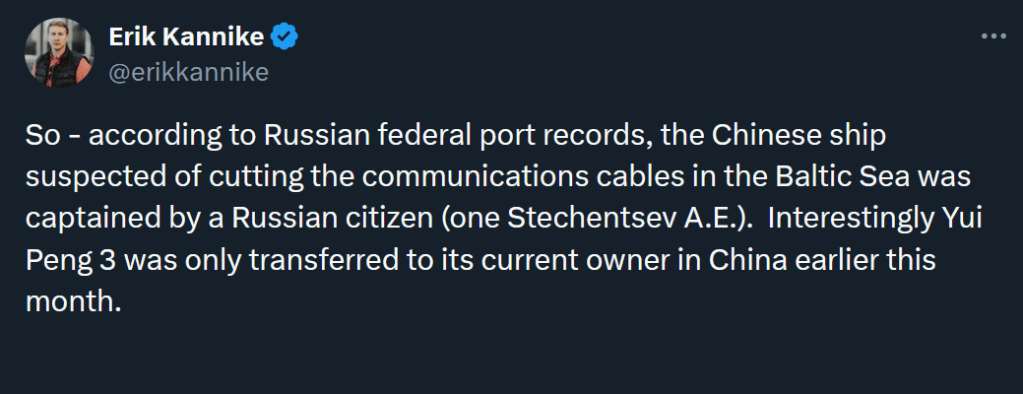
This Tweet is then followed by images, included the one included in the question.
We are looking for the original location of the log, so, based on the Tweet from Kannike, we will want to find the “Russian federal port records” that he is referring to.
An important point to consider is that, the image shared by Kannike is in English, however, if we are looking for the original site that this data came from, the original data would most likely be in Russian. We also may want to use a Russian search engine (e.g. Yandex) rather than Google.
So we want to use some Russian text to search for.
Further down in the thread, Kannike posts the full name of the individual he mentions, in Russian, “Стеченцев Александр Евгеньевич”:

He also posts another image, this time in Russian.
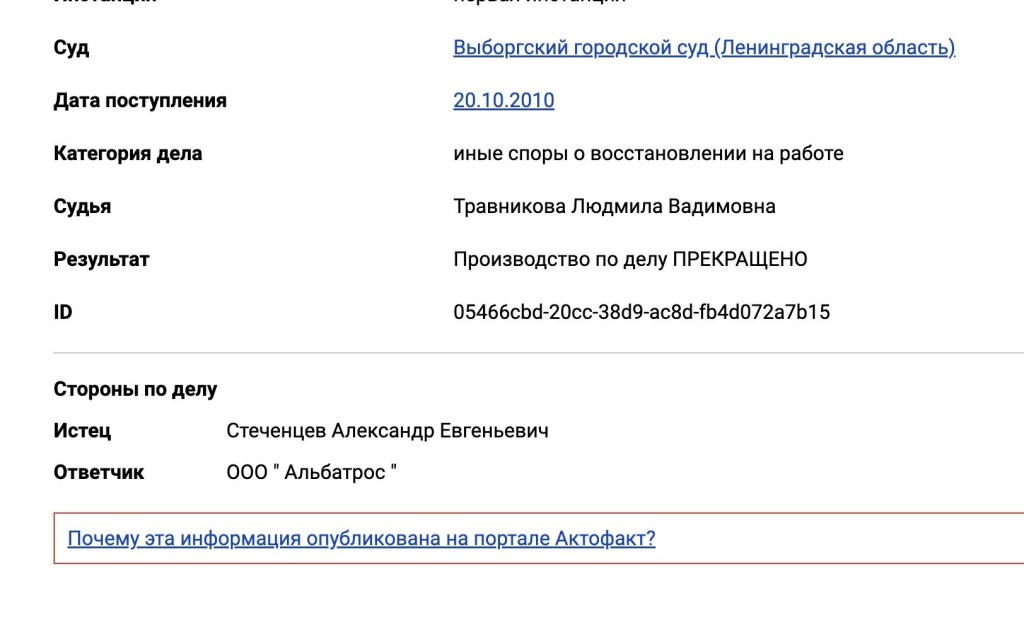
This image seems likely to have come from the same system as the port records that he posted the English translation of. It seems to be linked to that original information, but used to display the full name of the pilot.
There is a GUID value here (a “Globally Unique ID), labelled as ID. This would hopefully be fairly unique, though if we try searching for this, it does not identify what we are looking for. Interestingly, it does identify a BlueSky thread discussing the findings (with a link) to Kannike’s Twitter posts.
From Kannike’s follow up Tweet, we do now have the Russian spelling of the surname of the pilot, “Стеченцев”, so we can use that to search for the image we want (with the original Russian, prior to translation). Just using the surname would likely give us a huge amount of data to trawl through, so we would need to include something else… The “part number” is numeric, so won’t change under translation.
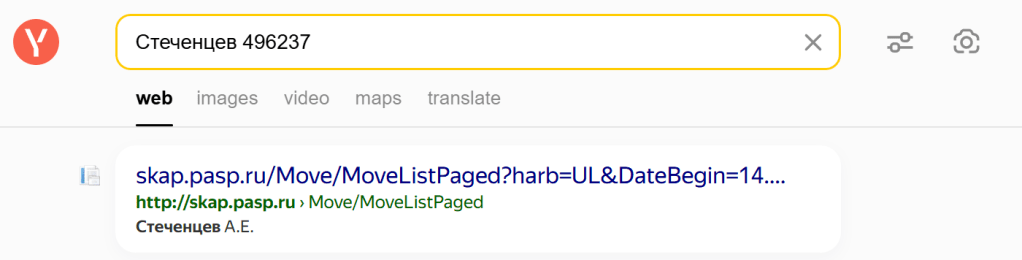
I therefore searched for Стеченцев 496237 in Yandex.
The first item that comes up looks promising, as it reports the correct initials:
Following the link to that site, we see:
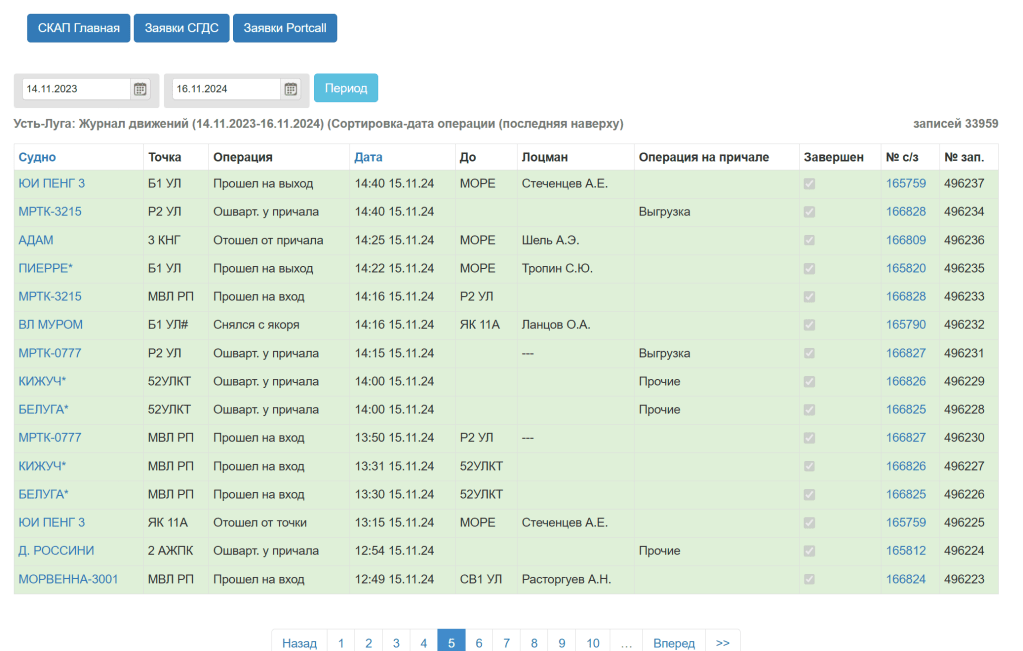
This looks familiar. We can translate the page using Google Chrome translate function

We can see the YUI Peng entries, and this looks similar to what we are looking for, but considering the full information on the page, it is not the same as the supplied image.
At the top of this table we see “Ust-Luga: Movement log (11/14/2023-11/16/2024) (Sorted by operation date (latest on top)”
But the image we are looking for stated “Movements of the vessel YUI PENG 3 in the vessel call No. 165759”
On the website, clicking on the link for YUI PENG 3 takes us to more data about the ship.
The “No s/z” column may be what we are looking for. Note that the number referred to as the vessel call number in the image we are searching for was 165759, and this is the value in the “No s/z” field in the top entry.
Selecting that entry we get the below:
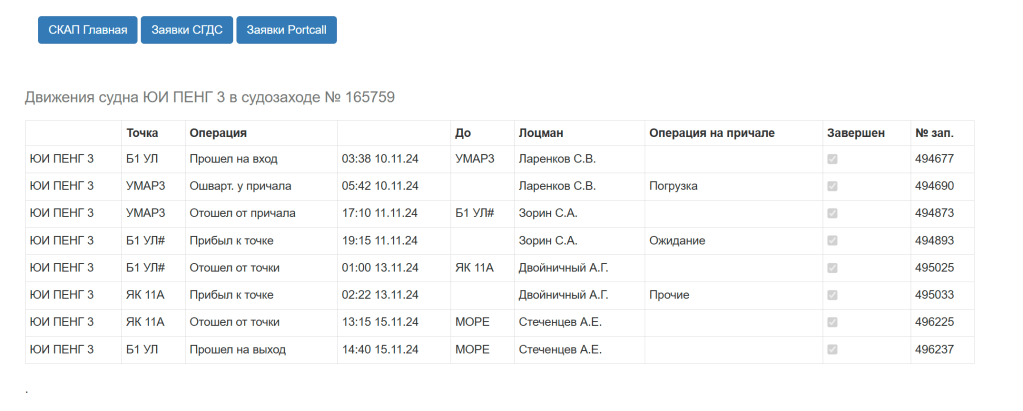
And translated:
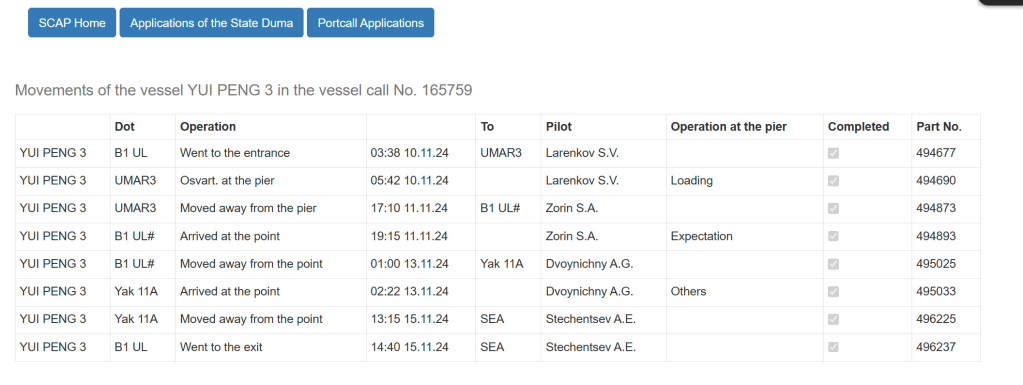
Compare to the original image:
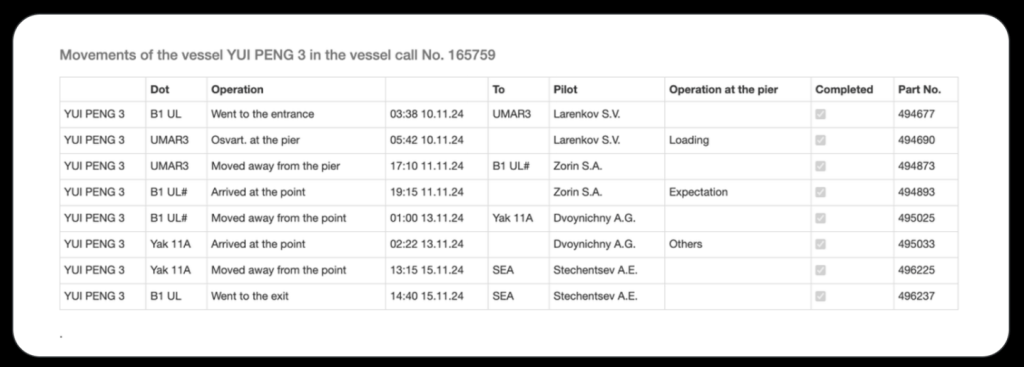
This is exactly what we are looking for.
The address of this page is
http://skap.pasp.ru/Move/InOutMoveList/165759?harb=UL
We need to lose the http:// so the solution is
skap.pasp.ru/Move/InOutMoveList/165759?harb=UL
Clouded Perception

My initial approach was to look to see if the original file was available anywhere to easily compare to the new copy to then get an indication on the changes which may have been made.
Google images quickly identifies that you can a copy this from uhdpaper (https://www.uhdpaper.com/2018/12/lake-bridge-mountains-4k-3840×2160-29.html#google_vignette)
But only in the following sizes:
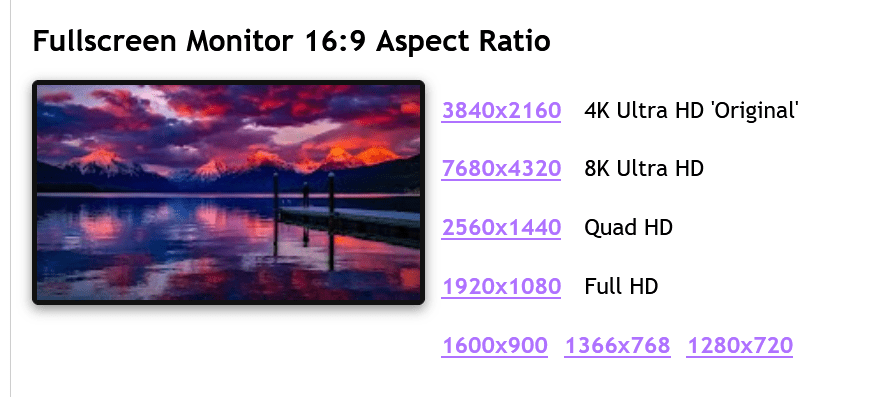
Looking at the properties of the image that we are analysing:
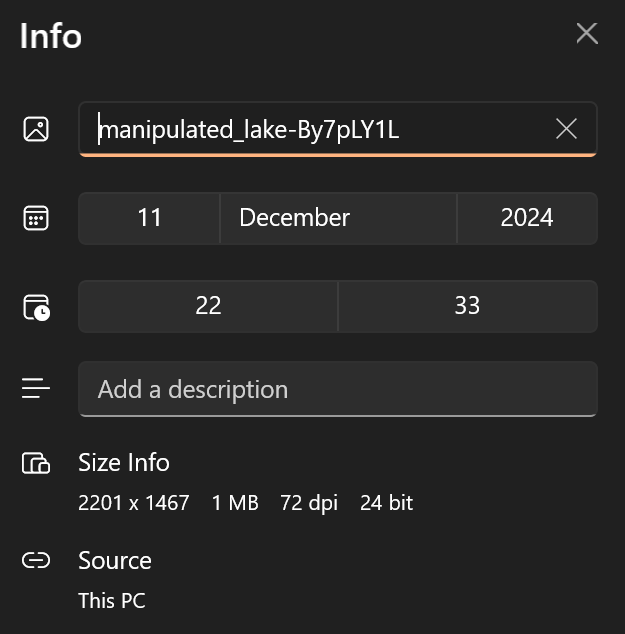
This file is 2201×1467 pixels, so none of the copies from uhdpaper would be a direct comparison.
Using Tineye I was able to locate another potential “original” copy:
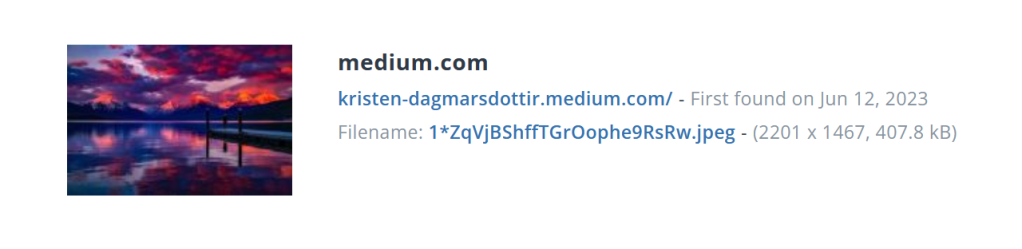
This copy is the right size in pixels, but much smaller in filesize, so very unlikely to be the original version, but may be helpful for a comparison.
Because of the different filesizes, it is a different size so we cannot compare the hex content… but we CAN compare the images, to see if colours etc. have been changed to encode information.
Putting both images into Diffchecker, we can look at the differences between the images, highlighted in pink:
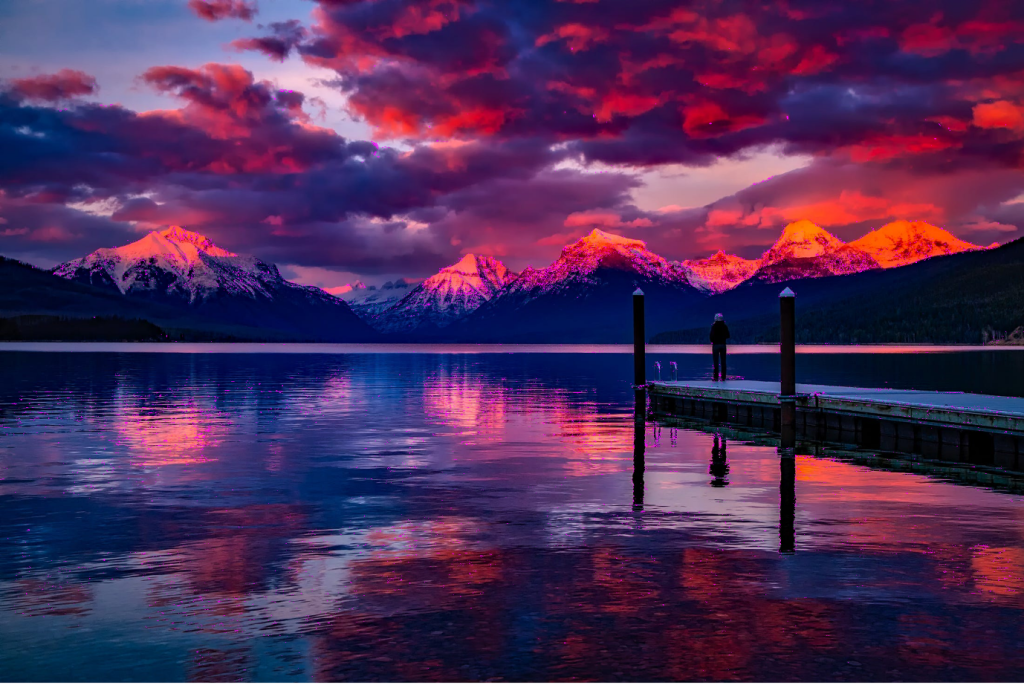
The majority of reported differences are around the mountains, and some other areas of detail. If we zoom in, this is easier to see.
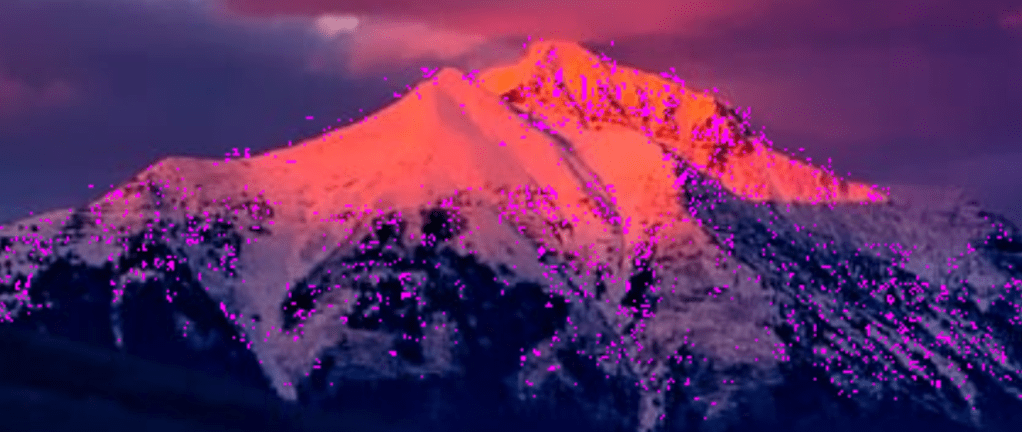
The differences are spread apparently around the areas with more detail. This could be data that is hidden using some steganographic methods, or it could be that these highlighted differences are due to the differences in the level of detail in the images – remember one image is twice the filesize of the other, and so has far more capacity for details.
I then moved on to take a look at the different bitplanes – JPG images typically store different images for different colour groups, which are then overlaid. You can therefore hide information in each of the different colours. Using CyberChef (https://gchq.github.io/CyberChef/), I used the View Bit Plane function to look at each of the colour planes, Red, Blue and Green, to see if any of them contained anything of interest. See the three images below:
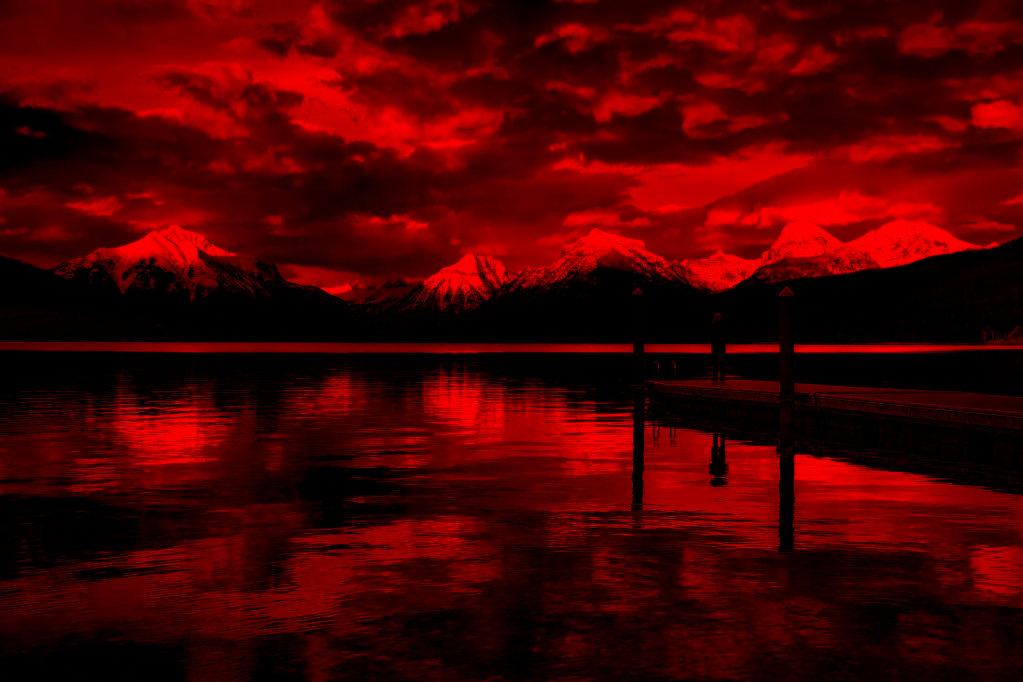
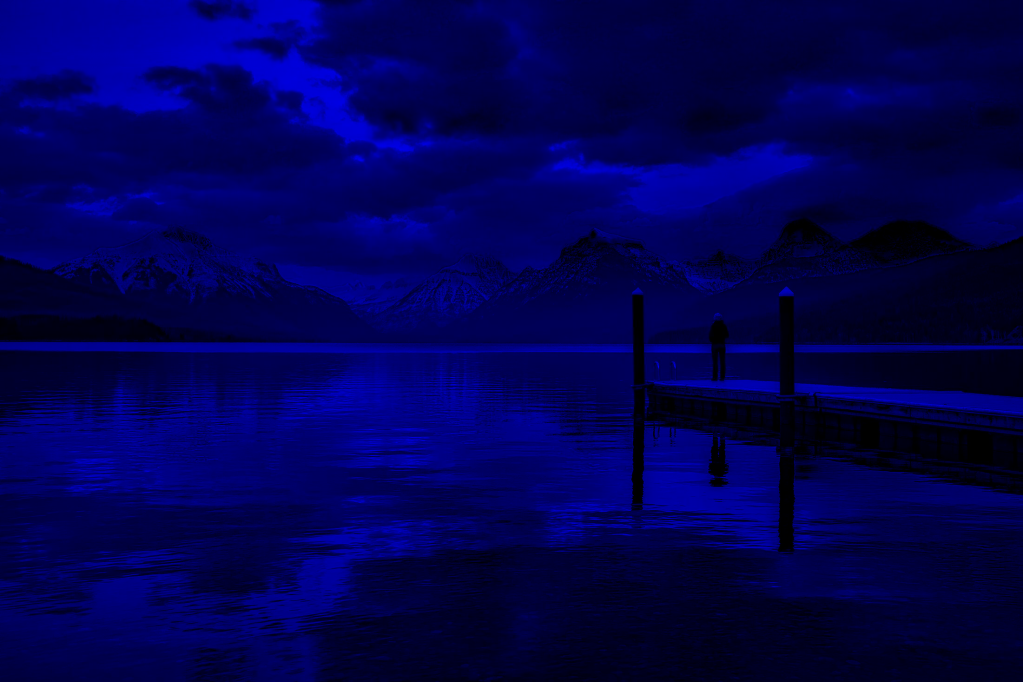
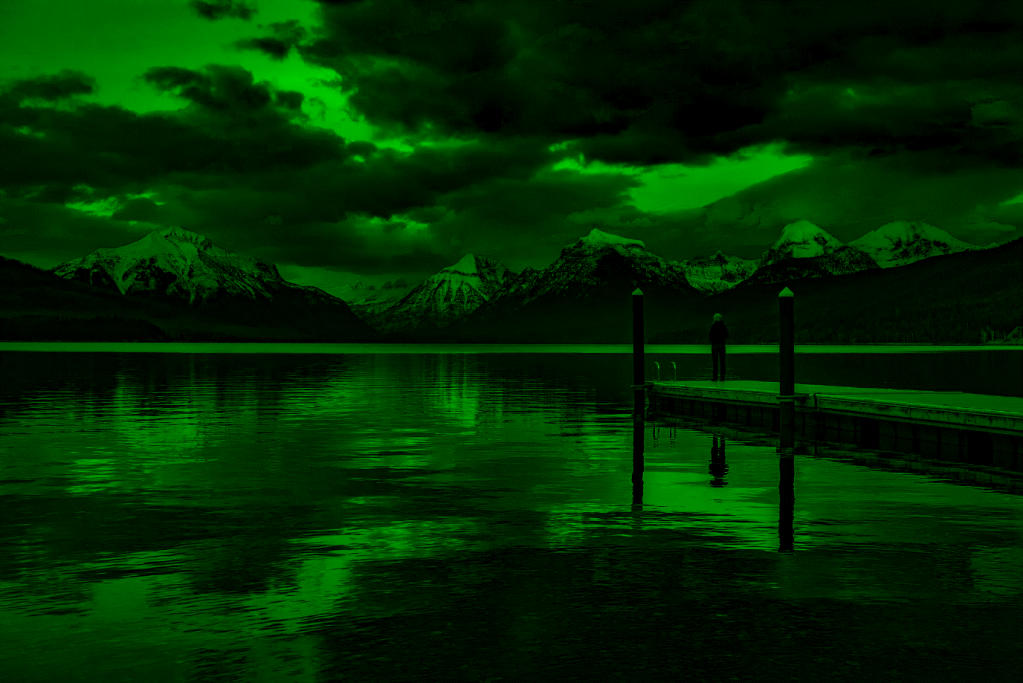
None of the images seem to contain anything obvious.
I then took a look at the image with a randomised colour palette. This is another method for looking for messages hidden in images. Sometimes images contain messages which are hidden in the use of a specific colour. In areas where there are large amounts of similar colours, this can be difficult to detect. By randomising the colour palette, this can help to make such messages easier to spot. This was done using CyberChef and the Randomize Colour Palette function. The image generated is below:

There is not much here that we can easily discern.
My next step was to look at error levels. Sometimes where images have been manipulated, you can identify areas which have been altered by looking at the compression levels.
The author of image analysis tool Forensically (https://29a.ch/photo-forensics/#forensic-magnifier), wrote an article on this in his blog in the past – https://29a.ch/2012/4/15/image-error-level-analysis-with-html5, having learnt about the technique from a great presentation by Neal Krawetz (which no longer appears to be available, but can be found via Wayback Machine here – https://web.archive.org/web/20111119175819/http://www.wired.com/images_blogs/threatlevel/files/bh-usa-07-krawetz.pdf).
Using the Forensically tool, I was able to look through the Error Level Analysis, changing the JPG quality slowly through, and you can identify some numbers in the top third of the image. By changing through the JPG quality, it is possible to find the below:
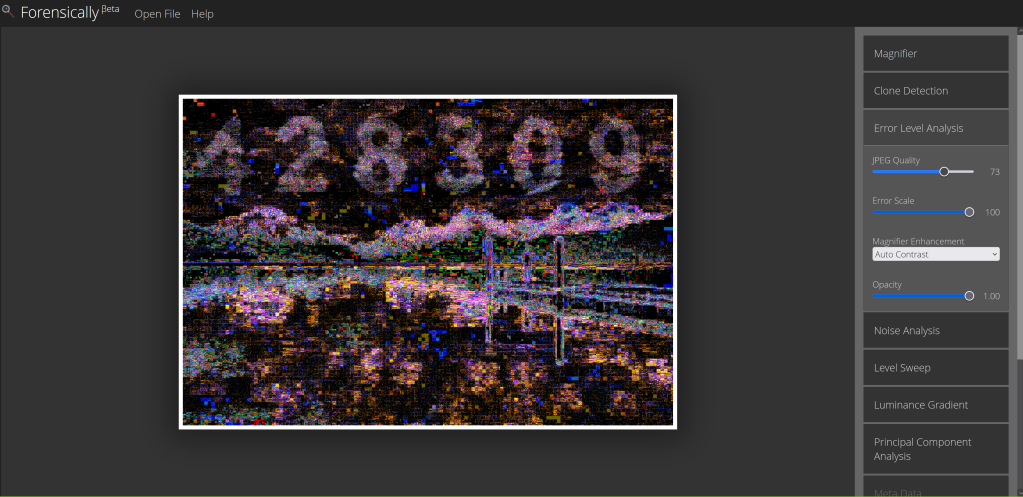
Solution: 428309
Synoptic Code
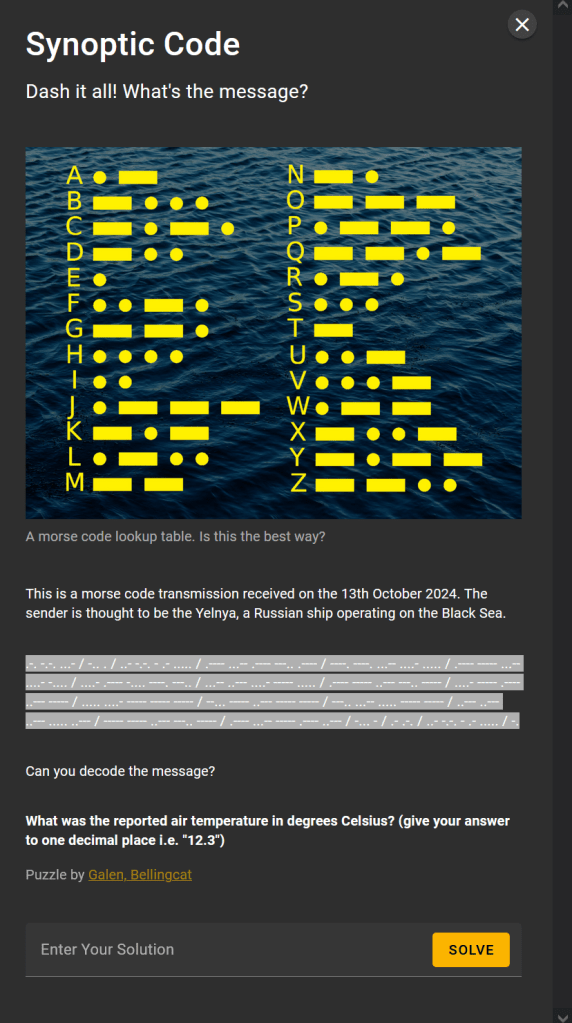
CyberChef has a great system for automating the decoding of Morse code, so I headed there (as above https://gchq.github.io/CyberChef/) and converted the code in the above:
RCV DE UCTA5 13181 99345 10346 41698 32405 10280 40120 54000 70200 83500 22252 00280 13012 BT AR UCTA5 N
As I had CyberChef open, I ran a quick check for any Caesar style ciphers, but could not find anything obvious.
I then ran some searches to identify how Russian shows would use Morse code. I was able to identify this site http://i56578-swl.blogspot.com/2014/10/about-m32arn-morse.html, which discusses Russian Navy Morse. In particular, it explains:
“This ships synoptic code is comprised of 23 groups of symbolic letters representing meteorological and oceanographic elements, report identification and ship location data (see resources later at the end of this post).”
It very much appears that this is what we are seeing, especially given the name of the challenge.
Searching for information on the synoptic code format, I was able to find https://www.megakastro.gr/weather_agro/SYNOP_format(FM-12).htm which provides a breakdown, with the structure being:
IIiii or IIIII YYGGi 99LLL QLLLL
iihVV Nddff 00fff 1sTTT 2sTTT 3PPPP 4PPPP 5appp 6RRRt 7wwWW 8NCCC 9GGgg
222Dv 0sTTT 1PPHH 2PPHH 3dddd 4PPHH 5PPHH 6IEER 70HHH 8aTTT333 0…. 1sTTT 2sTTT 3Ejjj 4Esss 5jjjj jjjjj 6RRRt 7RRRR 8Nchh 9SSss
The beginning of the code is then:
- IIiii The WMO number of the station.
Ship or Buoy Observations: - IIIII The ship or buoy identifier
- YYGGi
YY — The day of the month
GG — The hour of the observation (UTC)
iw — Wind type indicator
0 — m/s (estimated)
1 — m/s (from anemometer)
2 — knots (estimated)
3 — knots (from anemometer)
- 99LLL QLLLL
LLL — Latitude of observation to .1 degrees
Q — Quadrant of observation
1 — North east
3 — South east
5 — South west
7 — North west
LLLL — Longitude of observation to .1 degrees
Looking back to our entry:
RCV DE UCTA5 13181 99345 10346 41698 32405 10280 40120 54000 70200 83500 22252 00280 13012 BT AR UCTA5 N
We have the ship details likely in the text… so the first numerical section, 13181, likely represents 13th (from the question we know this was received 13 October) at between 18:00 UTC and 19:00 UTC.
The next two sections give the latitude and quadrant.
The section containing temperature is therefore 10280.
Looking back at the details from https://www.megakastro.gr/weather_agro/SYNOP_format(FM-12).htm, we can see how this is stored:
1sTTT — Temperatures — sign of temperature (0=positive, 1=negative)TTT — Temperature in .1 C
So our temperature is positive.
TTT is 280 which represents the number of .1 degree increments. So we divide by 10 to get the value in degrees Celsius.
Solution is 28.0

 The eDiscovery Channel


2 thoughts on “Bellingcat Challenge – Week 2 Writeup”