
By Dr Tristan Jenkinson
Introduction
This month Bellingcat are running a series of OSINT challenges, each week a new set of five challenges is posted for that week. The “Urban Exploration” series finished on Friday. If you haven’t already been playing along (and why not?!) you can join in at challenge.bellingcat.com, and you should probably stop reading now, because the rest of the article contains solutions for week 3.
With that caveat, let’s jump into the Urban Exploration challenges.
Name that Street

To start, let’s try and narrow down where we might be looking. Looking at car number plates, there are several that we can pull easily, two examples are below:
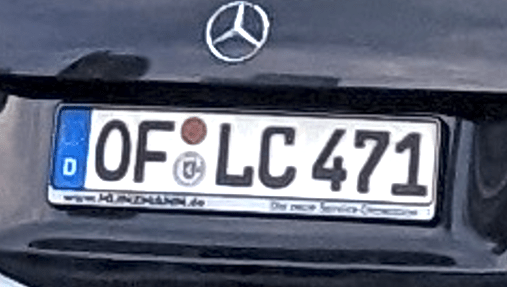
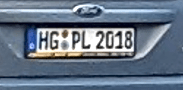
In both, it looks like there is a “D” on the left hand side, under the European Union Flag, which would suggest that we are in Germany. The number plate on the left looks like it also has a website ending in .de on the bottom left of the plate, which would again point to a German car (and hence suggest we are likely in Germany).
Running a double check, we can look in https://geohints.com/LicensePlates to see the number plate format for Germany, and we find:
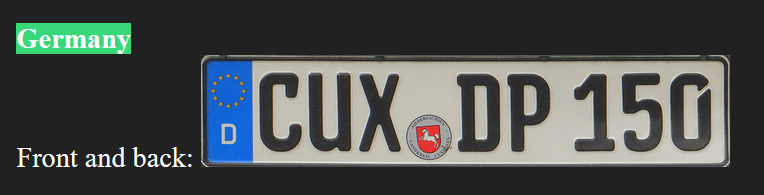
This matches, but in the example we have three letters in the first section, but this could just be a variation. If we look further, we can find examples of this variation on Wikipedia (https://en.wikipedia.org/wiki/Vehicle_registration_plates_of_Germany):

So these do appear to match German style license plates. To understand the additional information, we can dig further into the format – for example from https://www.customeuropeanplates.com/pages/german-license-plate-codes?srsltid=AfmBOoqIx3eIbPaaHHOiFsymYH73rjyYK6tPBtm-6Lex-0byuaI8puSJ.
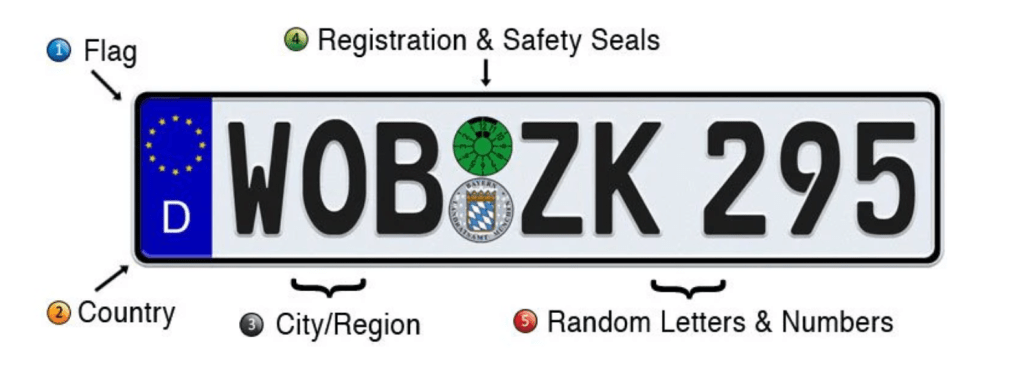
Some of the information that we might be interested in is the area code for the City/Region, and also the registration seal, though my understanding is that this should be based on the area code of the number plate.
Looking at the two example plates that we pulled from the image we are looking to locate, we have two separate area codes, OF and HG.
Based on https://www.customeuropeanplates.com/pages/german-license-plate-codes#top, we can look these both up:
OF – Offenbach am Main, Hesse
HG – Bad Homburg vor der Höhe & Hochtaunuskreis, Hesse
Given that both the codes are based in Hesse, this could indicate that this is roughly where we may be (though this should not be relied upon).
The image we are trying to locate also has a parking sign, which appears to be in German.

So the working theory is that we are at least in Germany, and possibly in the Hesse region. Frankfurt is the largest city in the Hesse region, so this might be a reasonable place to start.
If we look further down the street, we can identify some shops etc.
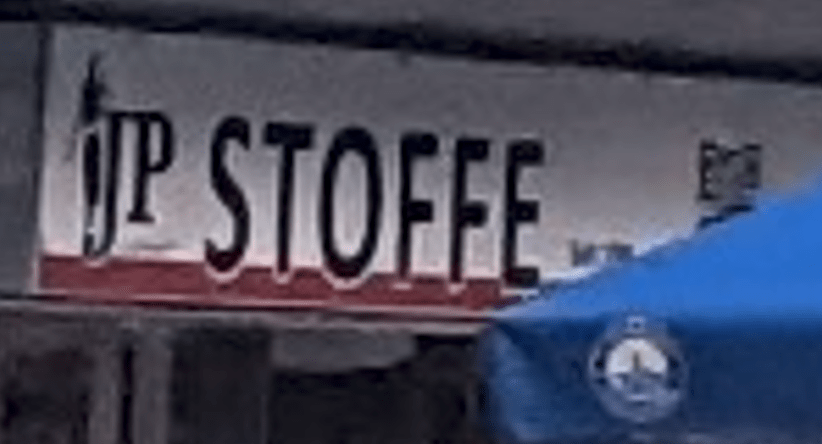
We see what looks like a shopfront called Stoffe.
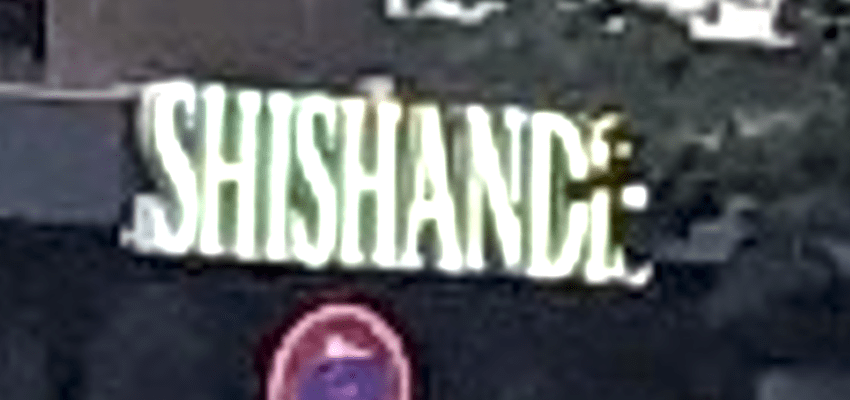
We can also see what looks like a bar or restaurant called Shishande or similar (the last letter is obscured).
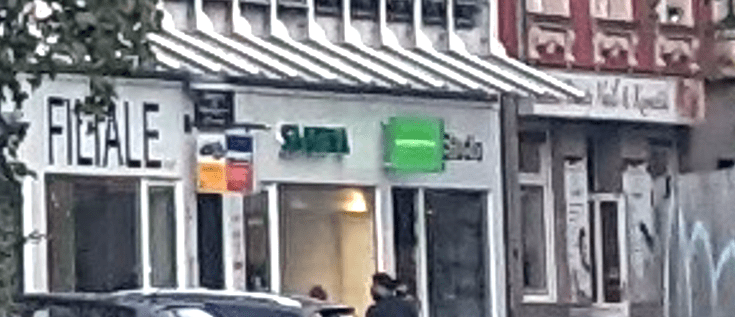
Further down the street we can see a shop called (perhaps) Filiale, and others that are difficult to pick out names from:
I decided to start with the restaurant/bar first.
Because we have good evidence that we are in Germany, and because of the obscured last letter, I ran a search for restaurant shishand* Germany in Google. The results are below:

In particular I noticed the second entry, based in Frankfurt (our working hypothesis as a location), and this name could match the name on the sign (remember it was partly obscured).

This could definitely be an obscured sign for Shishandis.
Clicking on that link found in Google, we find the below information:

The sign in the left hand image looks like a good fit with the sign that we identified in the image we are looking to locate.
Google lists the address as Stiftstrasse in Frankfurt.
Using Google maps, we can see if this is a good fit with our image.
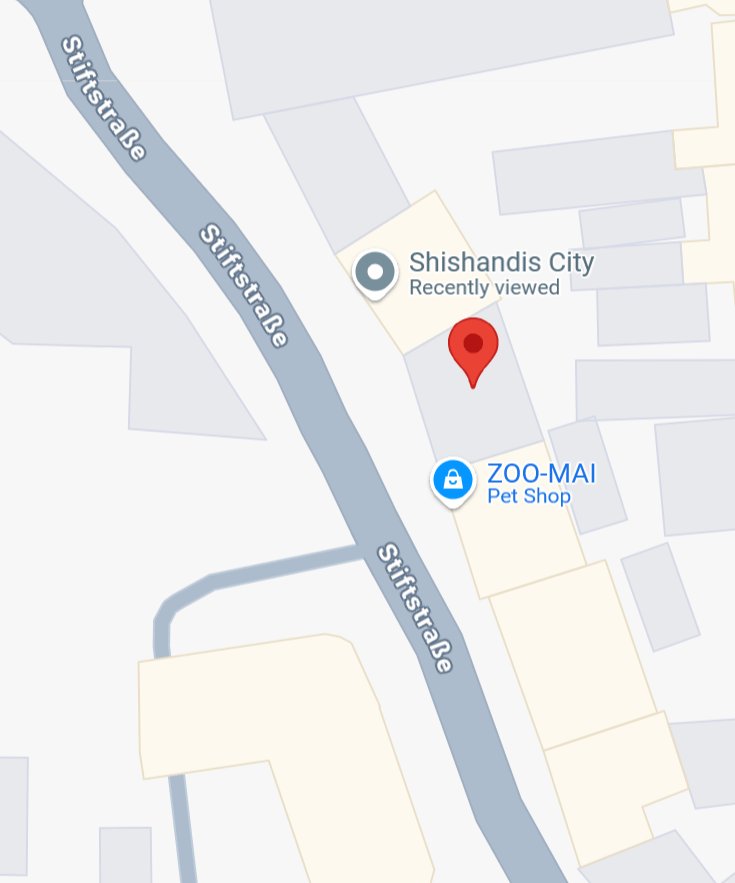

The first image that comes back is a good match. We can see Stoffe, Shishandis, and the large building on the right hand side is also a match to the image we are looking to locate.
If we back down the street, we can get a very accurate match to the original image, as below:
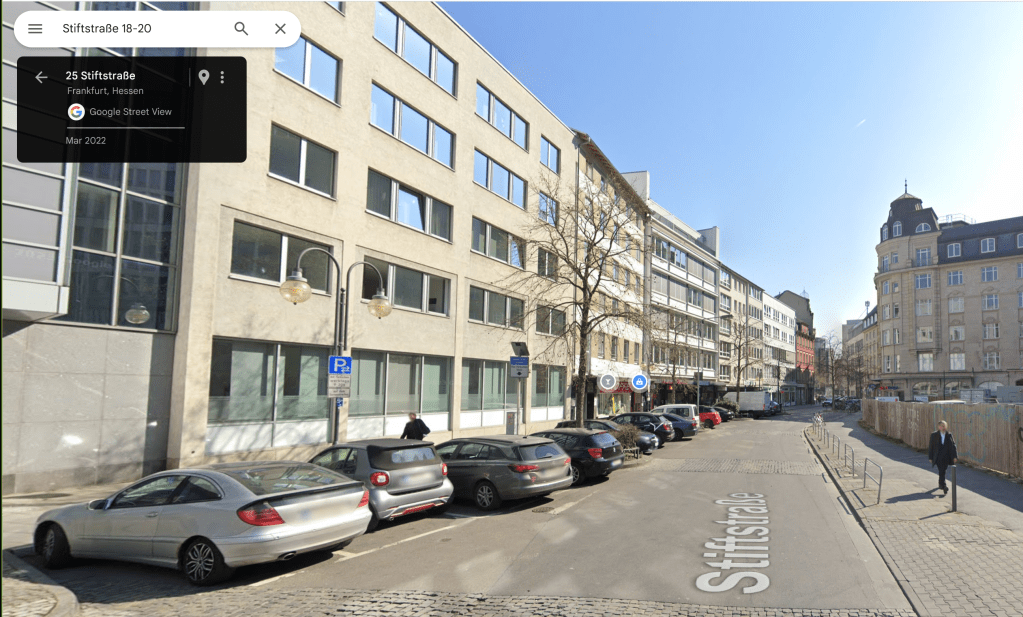
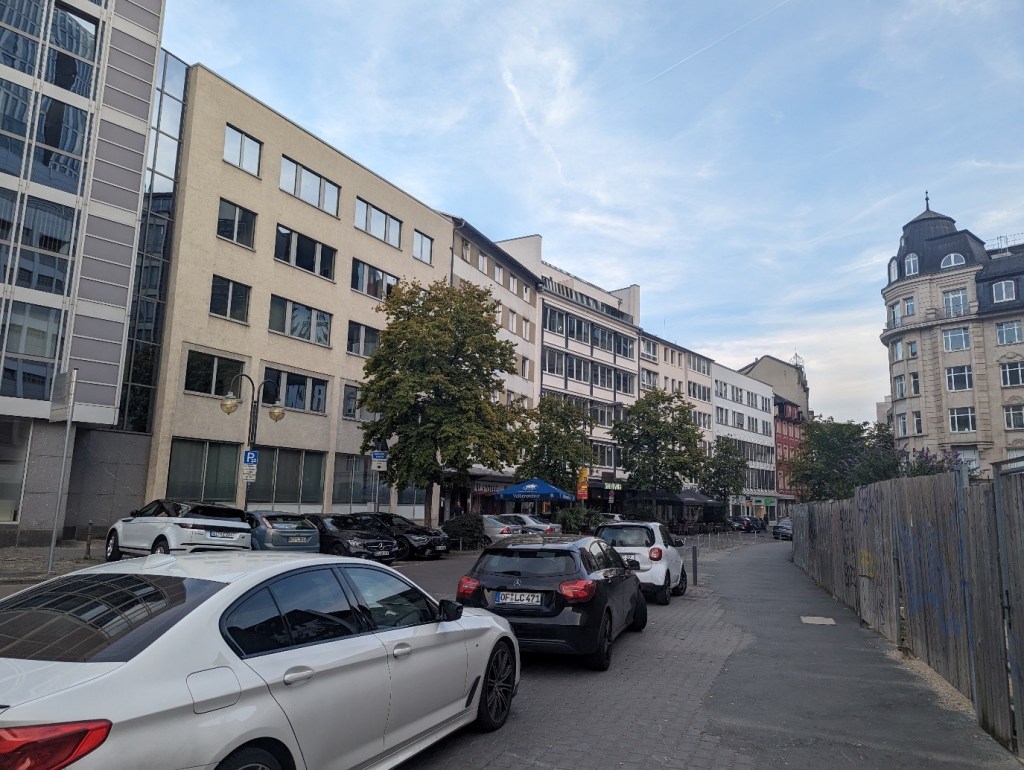
This is the street that we are looking for.
Solution: Stiftstraße
Once I had found the solution, I used geospy.ai to see what it could come up with. I received the below result:

While it is very useful, AI isn’t going to solve everything for us!
What A Dump
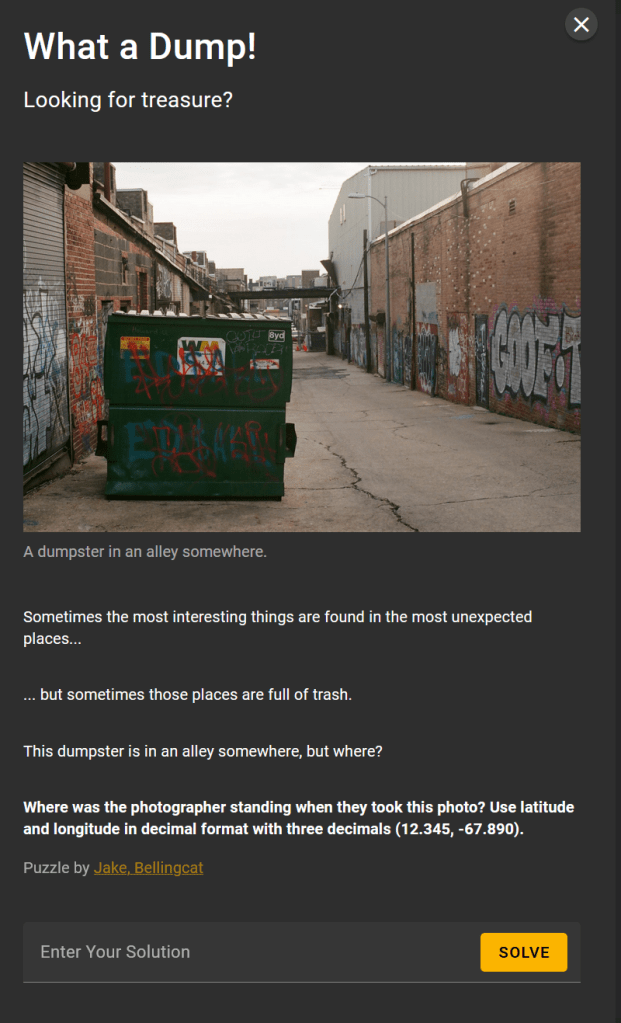
If we zoom in on the dumpster, we can see that the signs on it are in English, so we are likely somewhere English speaking. We can also see a sign apparently from the company that own the dumpster:

This includes a phone number. It could be 800 *34 2305, where one of the digits is almost entirely obscured.
Running searches for the number in Google, cycling through the options for the missing digit, we find the below:

This suggests that this is a number based in Annapolis, Maryland.
Some quick Googling can locate their website, wm.com, which states “WM, formerly known as Waste Management, is North America’s leading provider of comprehensive environmental solutions”. WC is the largest waste management company in the US, making around $20.7 billion in revenue (as per https://www.statista.com/statistics/1046508/us-canada-ranking-waste-haulers-by-revenue/). This is not a small local company, so it is possible that this phone number may not link to where the dumpster is in use.
We can also note that there is some graffiti on the dumpster reading “Howard U”. This could relate to Howard University, which is in Washington DC.

So we have two potential (contradicting) leads on locations.
There is a structure in the background that looks like either a roof over part of the alleyway, or potentially some sort of bridge across. This is quite unusual, so I tried using Google Images to focus on this area, rather than the dumpster (which just brings up hundreds of images of dumpsters).
The search results included the below:
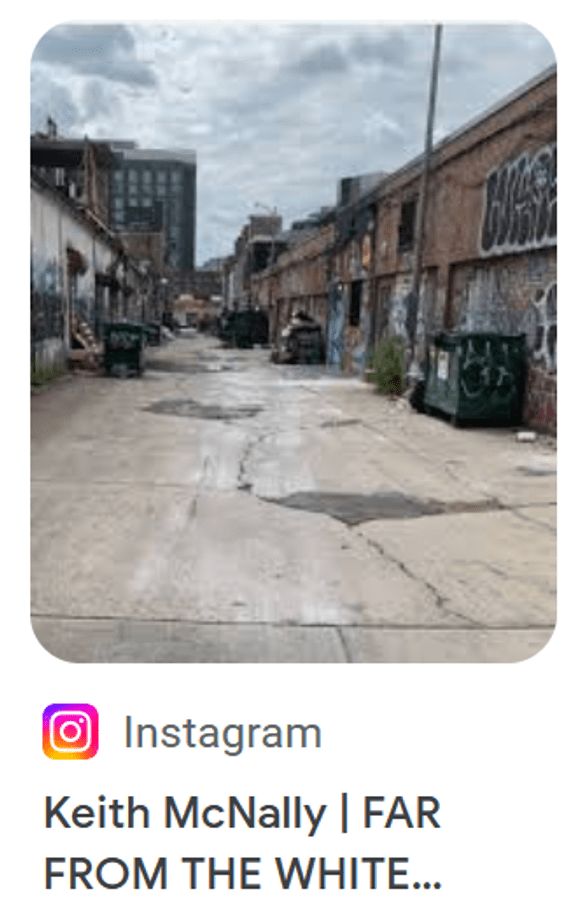
This image has a similar layout to our location… the road structure and building styles are similar. The description also looks like it is going to mention the White House, so this could be in Washington DC, which would match one of the potential locations previously identified.
Clicking on the link, this takes us to https://www.instagram.com/keithmcnallynyc/p/Cxe0in5INme/ and we can see the full note:
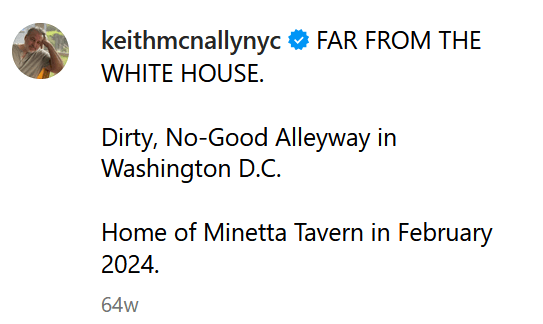
This does therefore mention the White House, and further states explicitly that we are in an alleyway in Washington DC. So this is a potential match to one of our suspected locations.
The post doesn’t explicitly tell us where the image was taken, but it mentions that this is the home of the Minetta Tavern.
Our next step is then to locate the Minetta Tavern! A quick Google search does this for us:
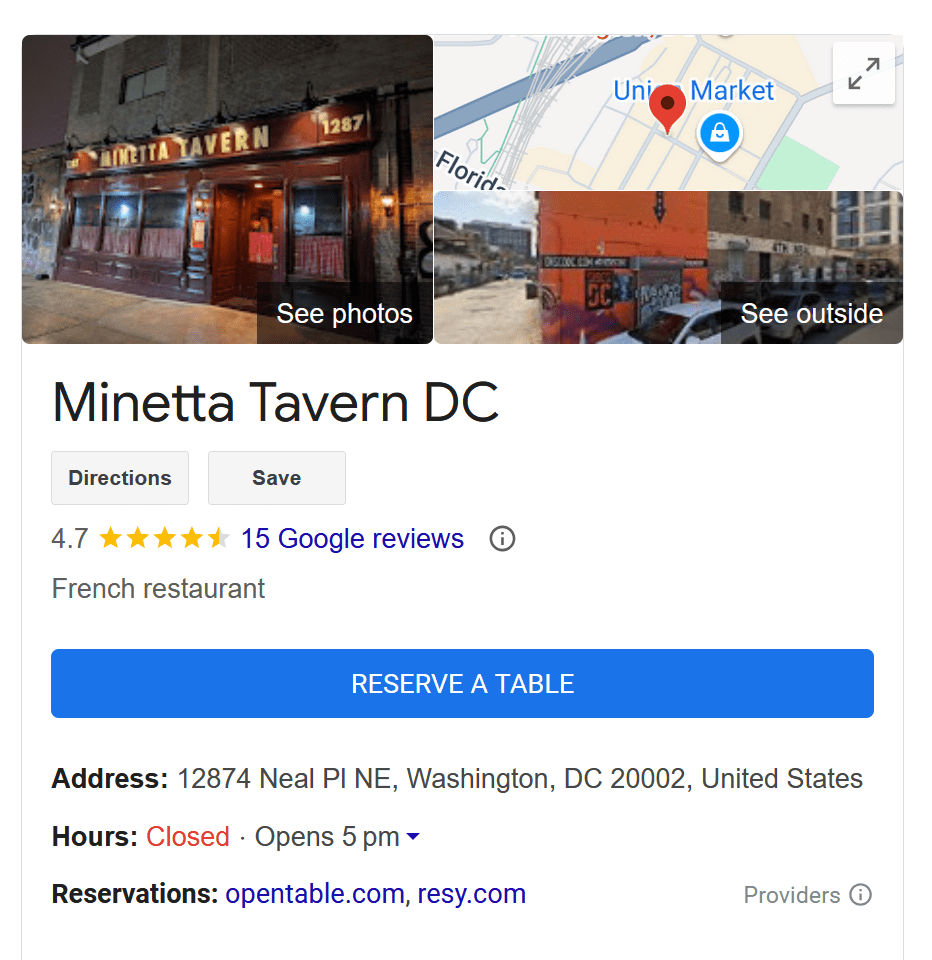
Opening this location in Google maps, we can see the location:
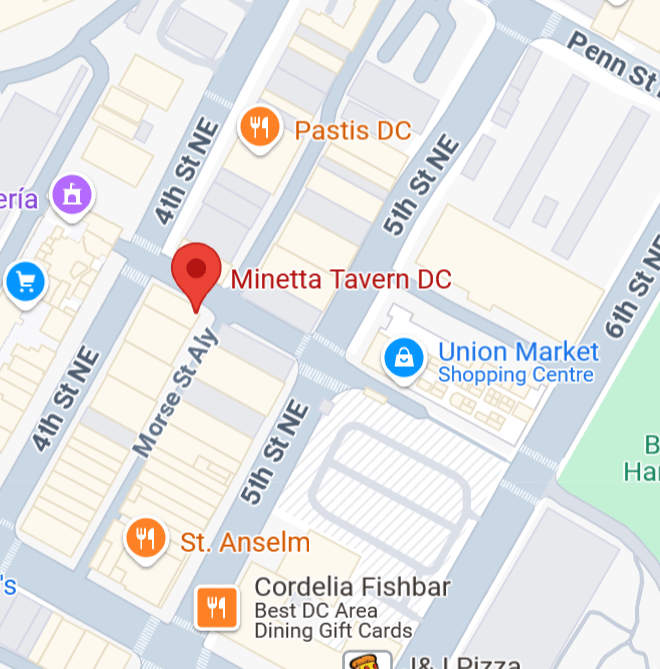
Going into street view, it is easy to locate the roads at the back, and we have this view:
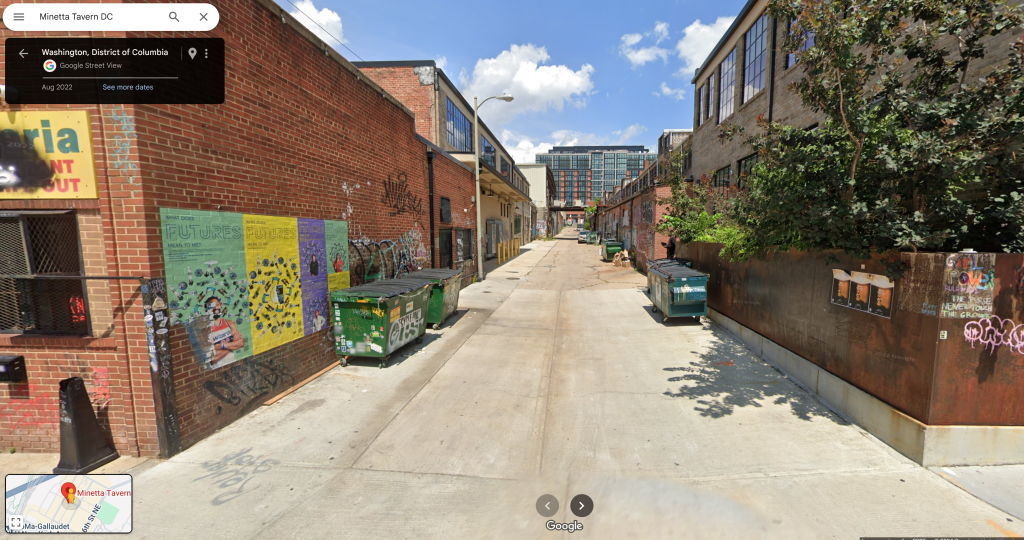
We can just make out a potential overhead structure further down this road. Using street view, I moved towards that to see if this matches the overhead structure in the image we are seeking to locate.

This could be other side of the structure we have seen, so proceeding and turning back to look at the structure from the opposite side, we see:
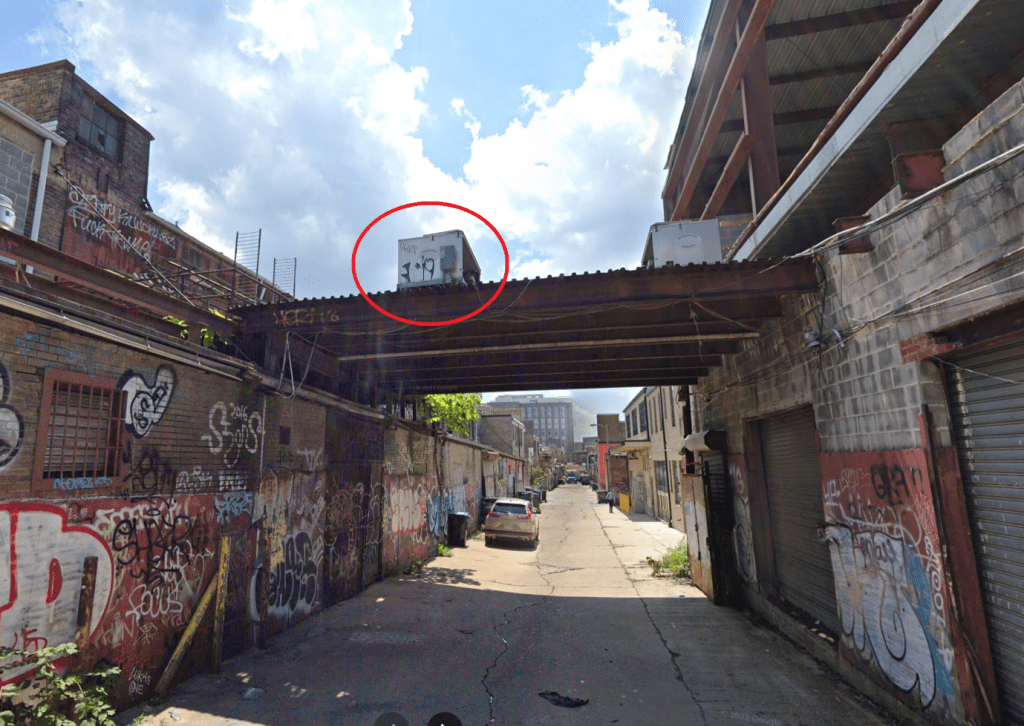
We can immediately see the graffiti on the box on top of the overhead structure (circled in red above). This matches details on the original image for location, shown below:
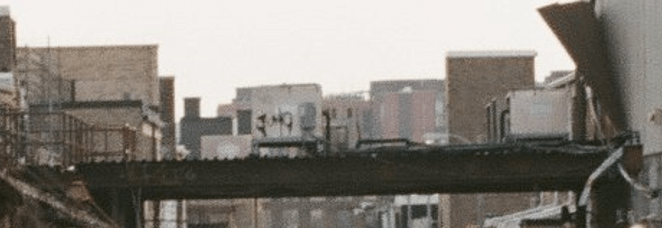
This looks like a likely match, we therefore need to find a location close to where the photograph was taken, to confirm, and also get a closer match to the latitude and longitude values that we are looking for.
Backing up further, few find the below:

We can now also match the Goof-Troop grafitti above, with the Goof-T seen in the original image to be located. We can now match this to the original image, shown below:

From this, we can extract the latitude and longitude values (the first two values following “google.com/maps/””.
Pulling these to three decimal places, we have 38.910, -76.998.
Solution 38.910, -76.998
Highway to the Unknown

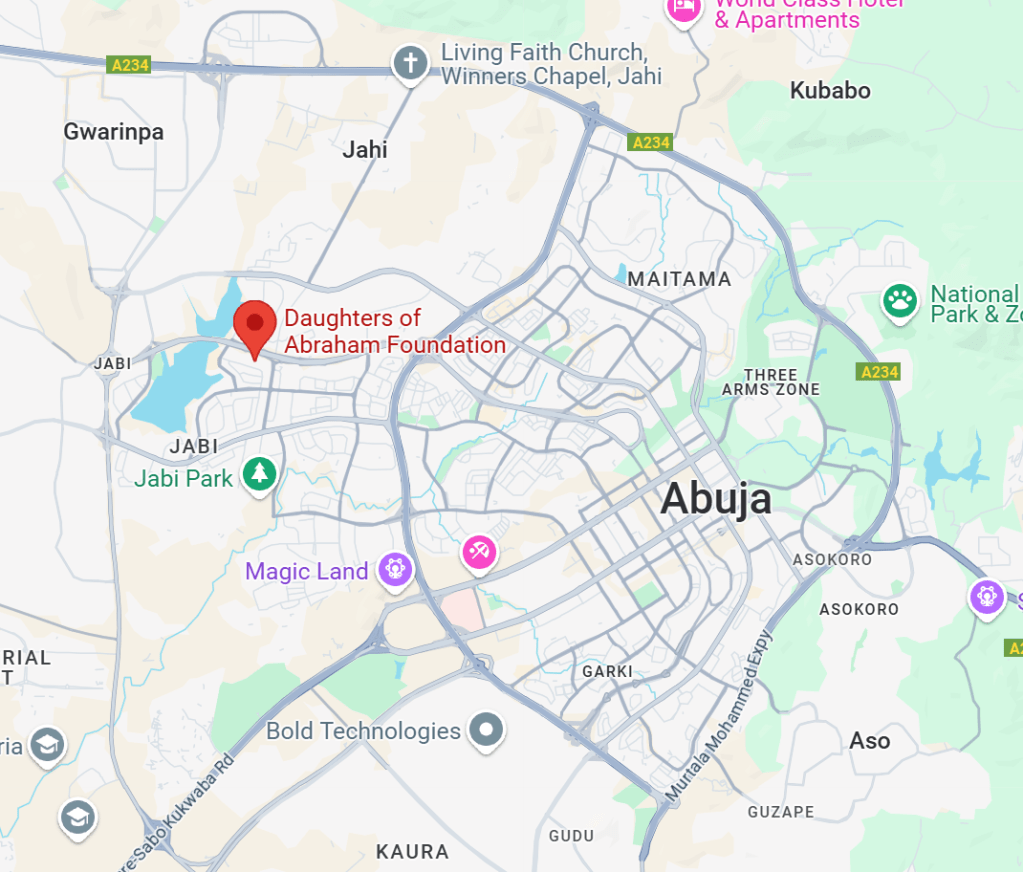
With not a lot of information to go on, I started off by putting the image into Geospy.ai. This gave me the below:

On the face of it, this doesn’t seem like a crazy suggestion.
Looking at the image to locate, I tried to identify other information that could be used to tie things down. We have the image of the building (more on that later). We also have the streetlights, which appear to be solar based from the pole on the far left of the image (the one on the right of the image appears to be missing the panel).
If we focus on the mirror, we can see English language text along the bottom, so this could indicate that we are somewhere English speaking. We can also see a bridge in the background, and in the reflection on the window. We can also see what look like three cars, indicating that we are on a road with at least three lanes. It may also be helpful to note the apparent lack of lane markings.
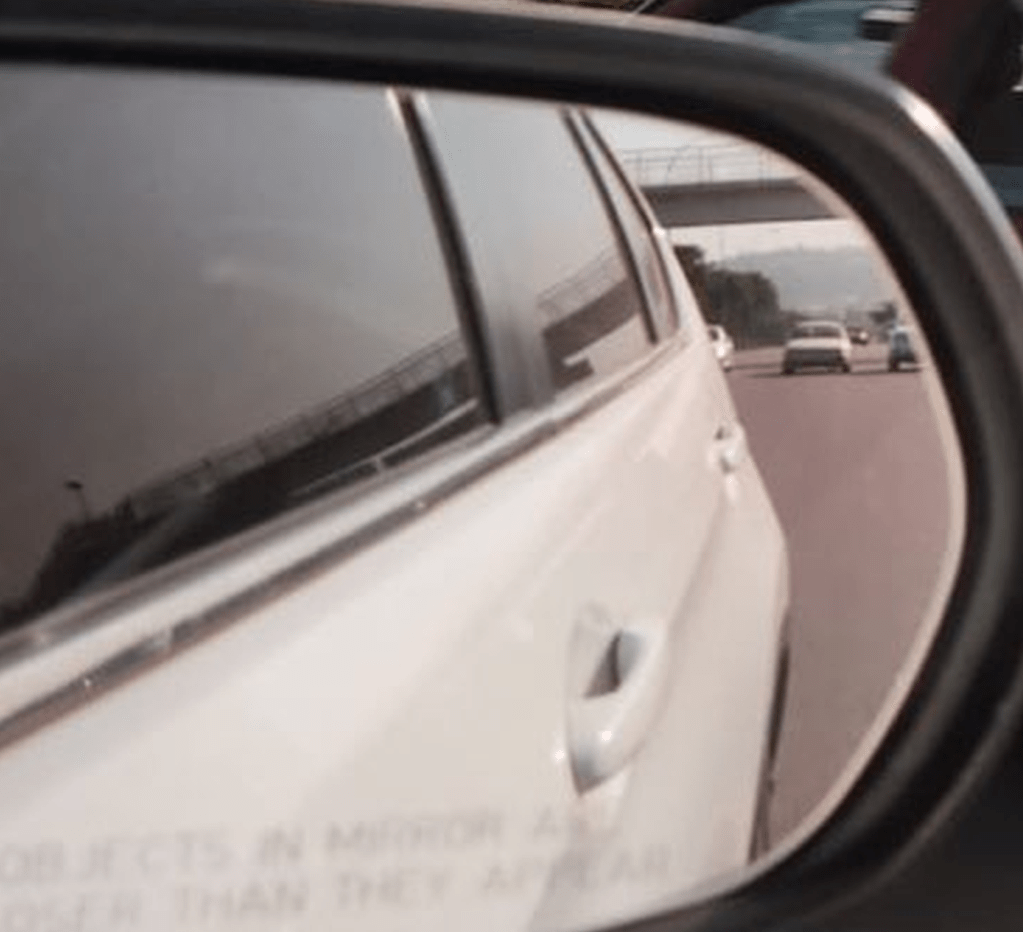
We can also see what looks like a mountain in the far distance, so this is something that we would want to be able to tie up.
I spent some time playing with streetview going along one of the major roads in Abuja, and was able to find a bridge, and a mountain, with street lights that tie in with the image in the wing mirror:
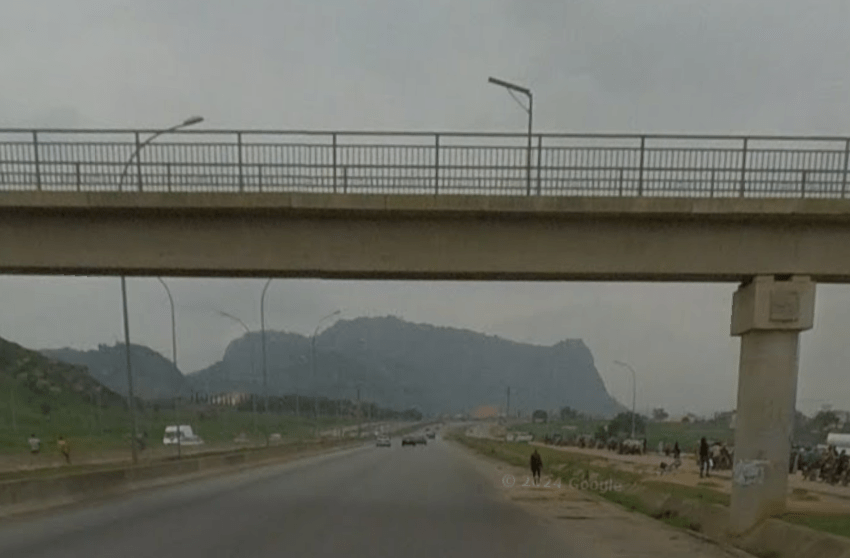
Although in the wing mirror it is not clear what the curved line on the bridge is, it does look like it is likely one of these street lamps:
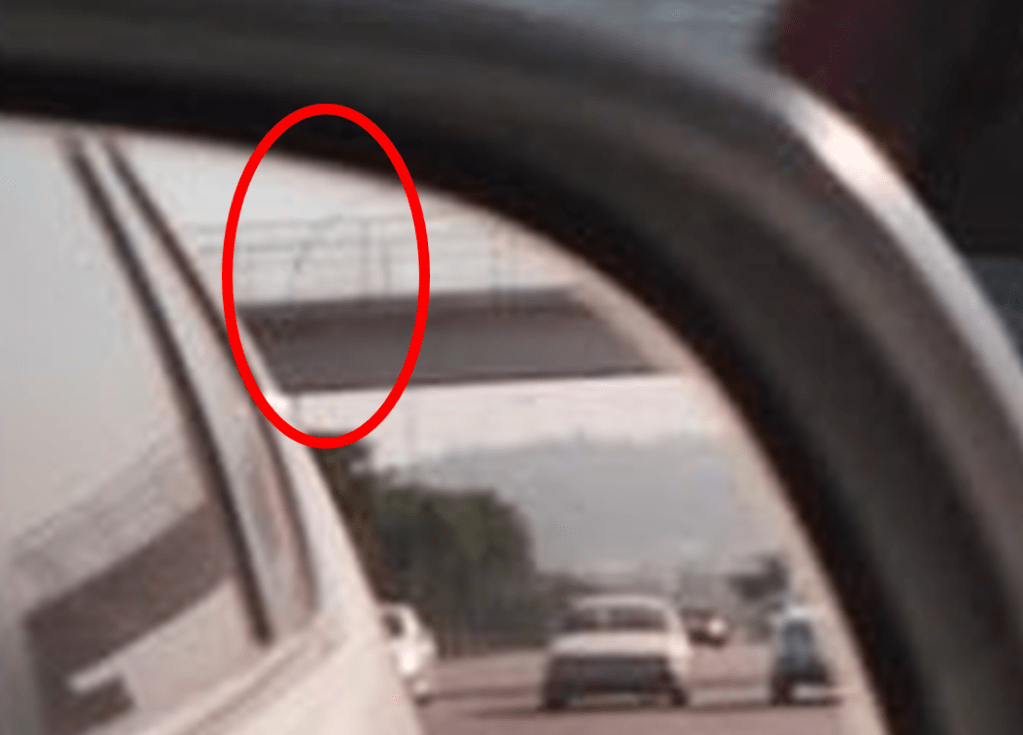
We can also see on the bridge, one of the solar lamps, as seen in the original image (compared below – streetmap on the left and original image on the right):

Although there are some points that match up, this clearly is not the right place. The mountain is not the right shape, the central reservation (between the two roads), also does not match, and there is no matching building in this location.
However, the curved line matching the streetlamps, and the solar panel appear to suggest that we could be in the right city (or at least, hopefully the right country).
I have seen that some people used the Bellingcat OSM (OpenStreetMAp) tool, where you can use features such as the number of lanes on a road, bridges and buildings etc. to focus down a search. It is a great tool, and you can find it here – https://osm-search.bellingcat.com/. There is also a helpful guide that you can find here https://www.bellingcat.com/resources/how-tos/2023/05/08/finding-geolocation-leads-with-bellingcats-openstreetmap-search-tool/. This is definitely a tool that I want to get more time playing with, but this isn’t how I found the solution for this one.
I went back to the building that we can see in the image to be located. Given the above information appears to support that we could well be in Abuja, I ran a combined image search, focused on the building (so we can avoid Google images focusing on the car and bringing back lots of matching cars!), but adding in “Abuja”:
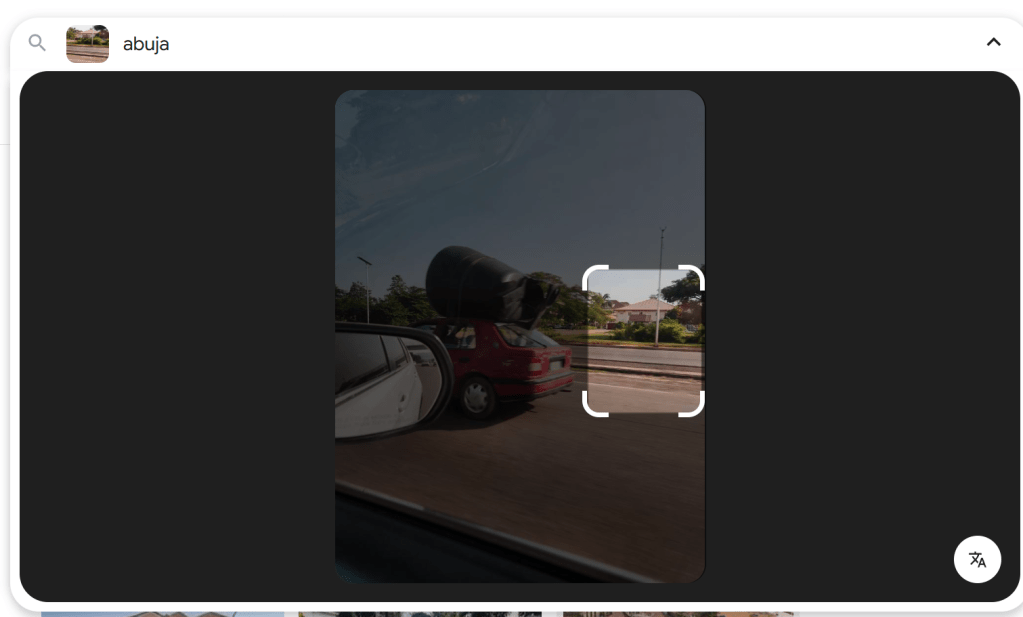
I had been previously trying to add text to searches in Google images, and was not able to do so… so this was a little surprising. I tried to upload the picture a couple of times, and for some reason Google errored, and then I found that I was able to add text to the search when it was successfully uploaded. I was not able to repeat this… without switching to the mobile version of the tool – more on that later.
The results of the text and image search included the below:

This does seem to be a good match to the image that we are looking to locate:

The building style, roof, windows and gate match, and we have what looks like writing on the wide of the building.
Clicking on the link take us to https://commons.m.wikimedia.org/wiki/File:Daughter_of_Abraham_foundation_building_jabi_Abuja.jpg, and this contains a clearer view of the text on the building:
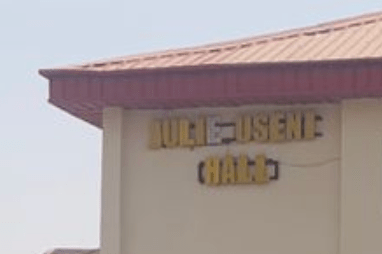
It reads Julie Useni Hall.
Solution: Julie Useni
Sidenote – Using the Mobile Version of a Website in Browser
As noted during the writeup above, I was not able to repeat adding text to a Google Images search (if someone can explain how this is done, that would be great!). However, there is an easy alternative, since the mobile version allows for this.
You can either do the searches on your mobile (which may or may not be helpful), or you can get your browser to work in mobile mode. This is slightly odd, but in the case of Google, allows for adding keywords to image searches more easily.
To do this in Chrome:
- Go to the site that you want to view (so Google.com for instance).
- Press F12 to open up Developer Tools.
- There is then an icon that looks like a computer screen with a phone screen, as shown below. Click on this and it will turn blue. This means that it is in Mobile Mode (it will apply only to the tab that you currently have open.

- You can press F12 again to close the Developer tools.
You can now use the mobile version of the site.
Second Sidenote – Physical location
For those who were looking up the physical location, the Daughters of Abraham Foundation is just off of Shehu Yar’adua Wy:
Foul Play
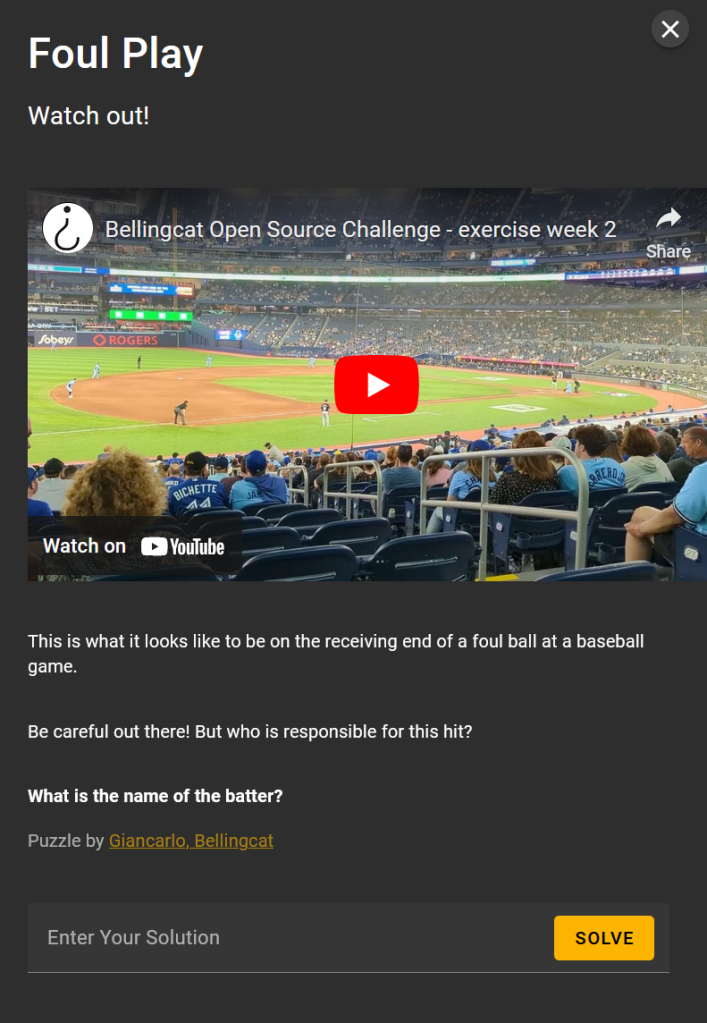
I first selected to watch the video on YouTube, and then changed the settings to ensure that I had the video in the highest resolution (4k), and then took a screen grab of the first frame to see what was present.
We can see a sign that reads “Official Hot Dog of the Toronto Blue Jays”:

So we are likely in the Toronto Blue Jays stadium.
We can also see names around the stadium that correspond to famous ex Blue Jays players, such as Roy Halliday and Jose Bautista:

We can also see what looks like a mini scoreboard, apparently reading “31 DELOACH”:

If we pause the video during the follow through of the swing after hitting the ball, we can see some of the back of the batter’s shirt:
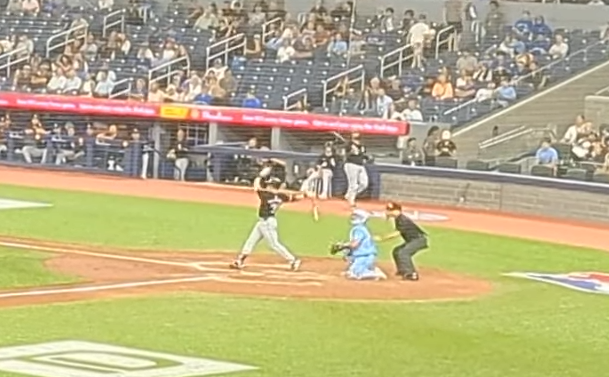
It looks like this starts with a 3, so this would match the 31 we say on the mini-scoreboard.
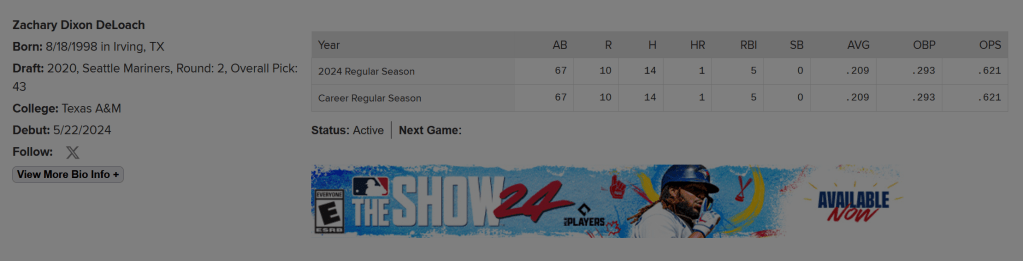
If we google Deloach 31 baseball, we can find his player site on mlb.com (https://www.mlb.com/player/zach-deloach-676113). Note the black headgear and top match the video.

We can also see that he plays for the Chicago White Sox. We can check their strip, for example on https://baseball.fandom.com/wiki/Chicago_White_Sox?file=Al_2006_chicago.gif, we can see that the alt strip this matches the player in the video:
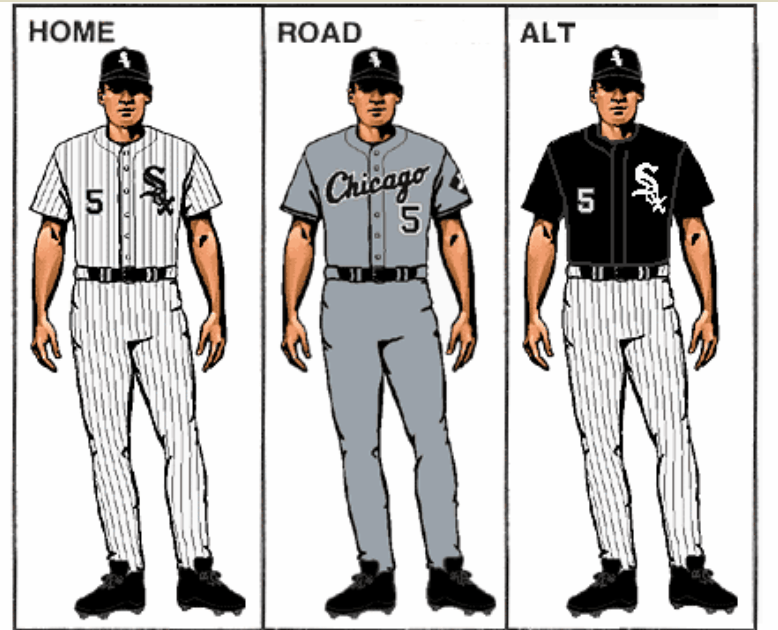
It looks like this is indeed Zach Deloach.
Interestingly his stats suggest he has only played this season, meaning that if he was involved, it must have been this year.
This game appears to have been covered here – https://www.espn.co.uk/mlb/playbyplay/_/gameId/401569210, and we can see in the play by play, that DeLoach got a foul ball:
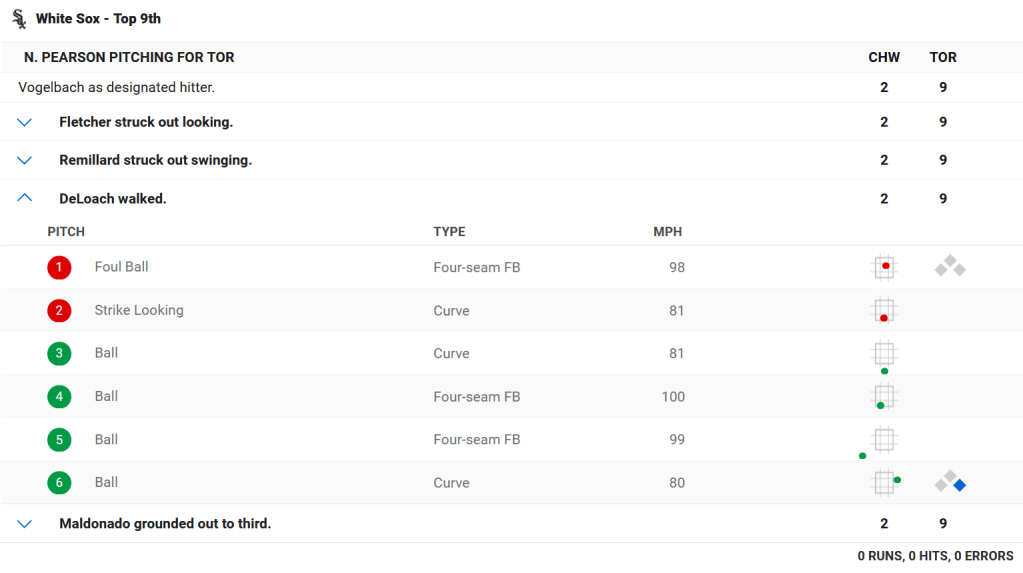
Solution:Zach DeLoach
On the Metro
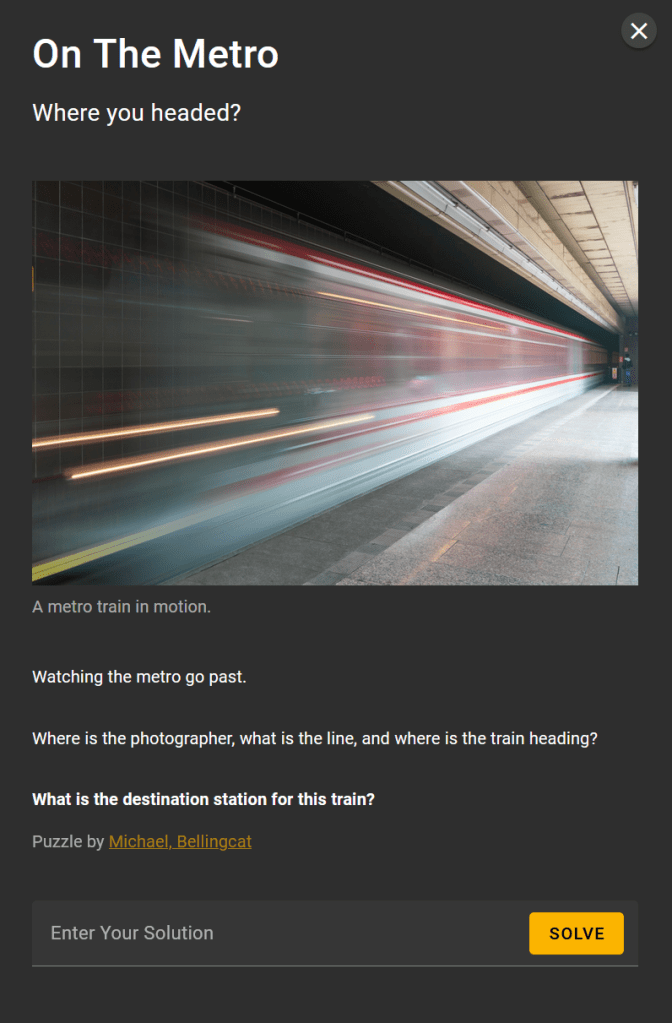
I would love to see someone use a tool like Amped FIVE on this to try and reverse the motion blur. I suspect that this may not be hugely helpful, but imaging and video processing tools never cease to amaze and are worth being in mind for some types of OSINT challenges. Unfortunately, I don’t have access to those tools but it would certainly be an interesting approach to see how much information it may get.
Without much to start with, I tried Geospy.ai. We get the below:
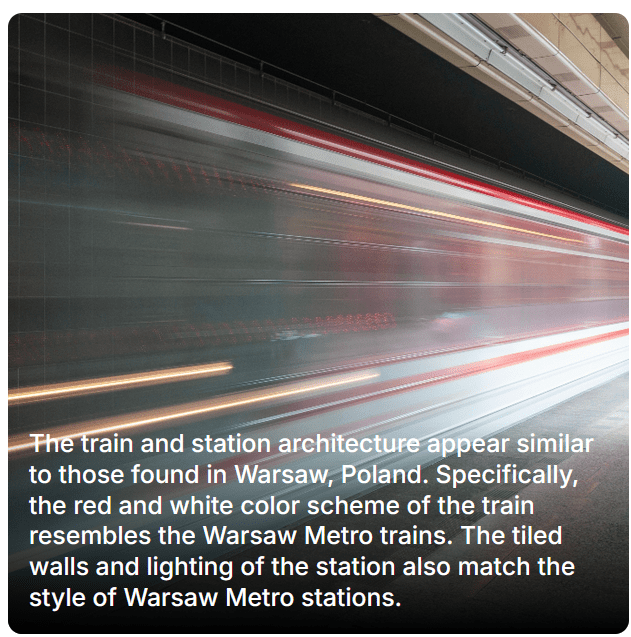
However, looking at the trains in use in Warsaw, the colours do not appear to match this colour scheme. Again, it seems that AI has failed us.
I therefore did some digging using Google Images and the image to locate, focused on the train colours, and was able to locate this image from https://brianduckett.com/news/street-photography-in-prague
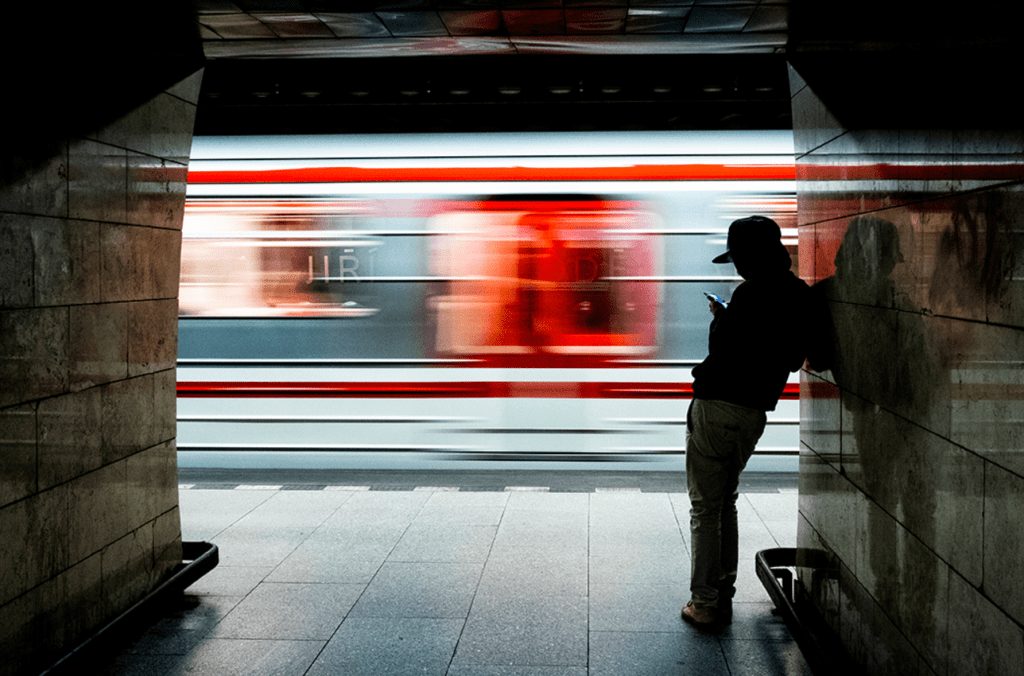
This is a pretty good match for the train in the image, so my first idea was to focus on Metro stations in Prague.
From a quick Google search, I then found the below image from https://www.praguehere.com/metro:
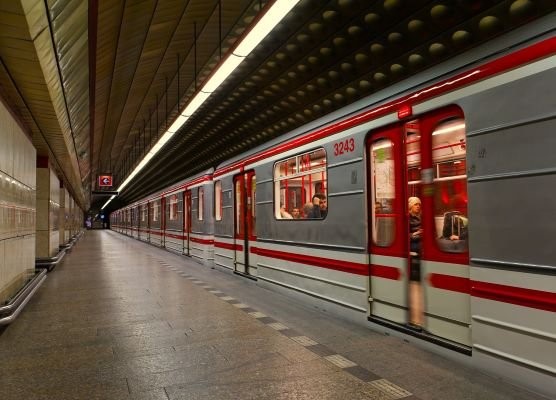
The train again is a good match on colour scheme, and the floor tiles also look like a good match, with the black and white pattern. The ceiling and other details do not match though, but another indication that we may be in the right city, and it is worth continuing.
I did initially think that in the reflection in the train’s window that I could see what could be a car:

This would be quite unusual (for a Metro station), and would indicate that this platform was likely above ground, and also open on the other side. This also seemed consistent with the lighting, which I will return to later. I ran some simple Google searches for Prague Metro stations which were above ground, but was not having any luck. I therefore put this approach on the backburner.
My Google searches did identify that Wikipedia has a list of Prague Metro stations, which can be found here https://en.wikipedia.org/wiki/List_of_Prague_Metro_stations. Very helpfully, this also includes photographs from each station, which I could use to look for likely locations.
One of the most unique points in the image which we are looking to locate are the lights, these are quite an unusual design, to many other platform photos that I have seen, so this was a key point to try and match. The first close match I was able to find was Nove Butovice.

We can see that the lights are a good match, as is the flooring, black and white tiles in a line on the floor, the wall tiles are also the right size, but they do appear to be slightly non-uniform, unlike those in the image we are seeking to locate.
I was able to find a series of helpful images of the Nove Butovice station which were published on http://metro.angrenost.cz/b/nb.php (and on https://bullishwings.wordpress.com/2014/05/16/blog-4-nove-butovice-prague-czech-republic/) as well as a very helpful video of a walk through the station, which I was able to use to rule out this station, which I was able to use to rule out Nove Butovice.
From the information from Wikipedia, we can see that we have just two tracks and an island platform. That means that we only need to check two locations, the far right hand side of each platform, as we face each platform.
Using one of the images from the blog site, we have the below:
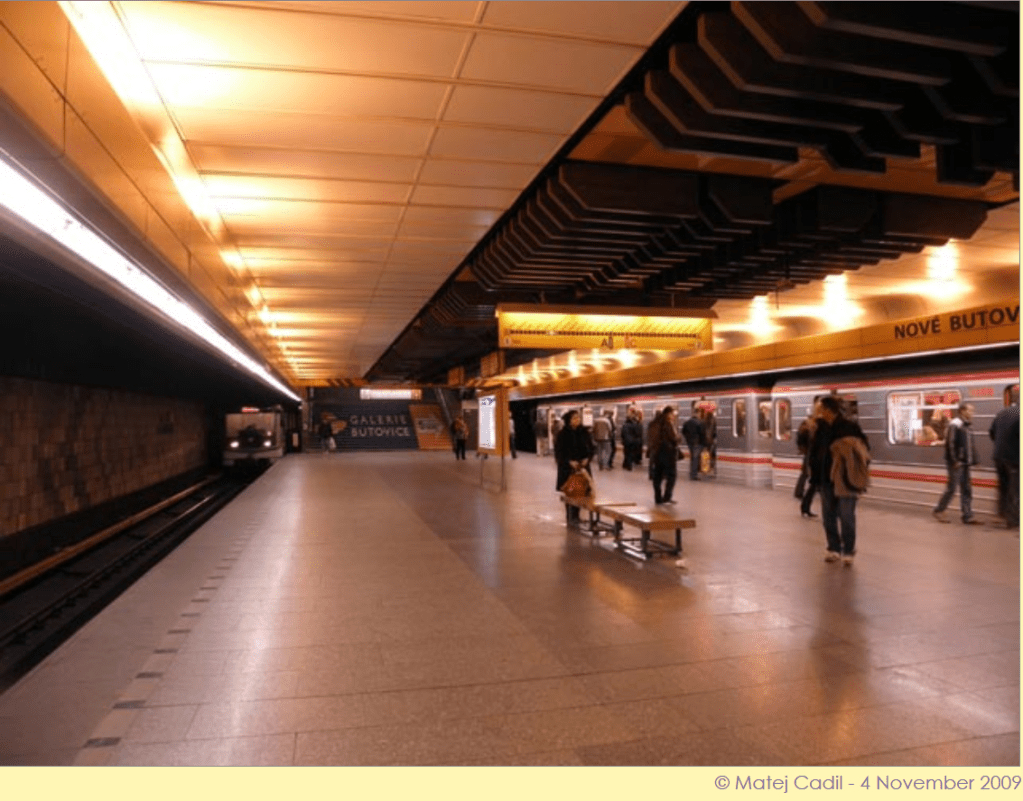
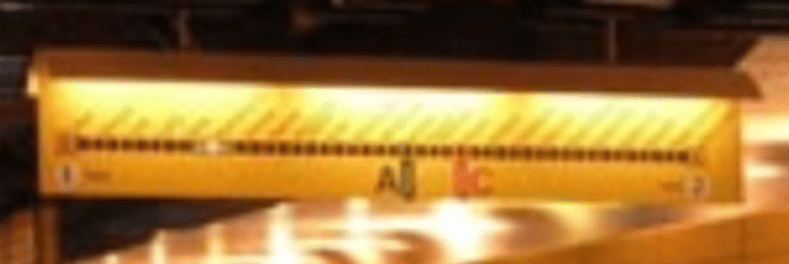
Zooming in, we can just identify that this is platform 1:
We can also zoom in to see the end of the platform that we are interested in and compare it to the image we are looking to locate:
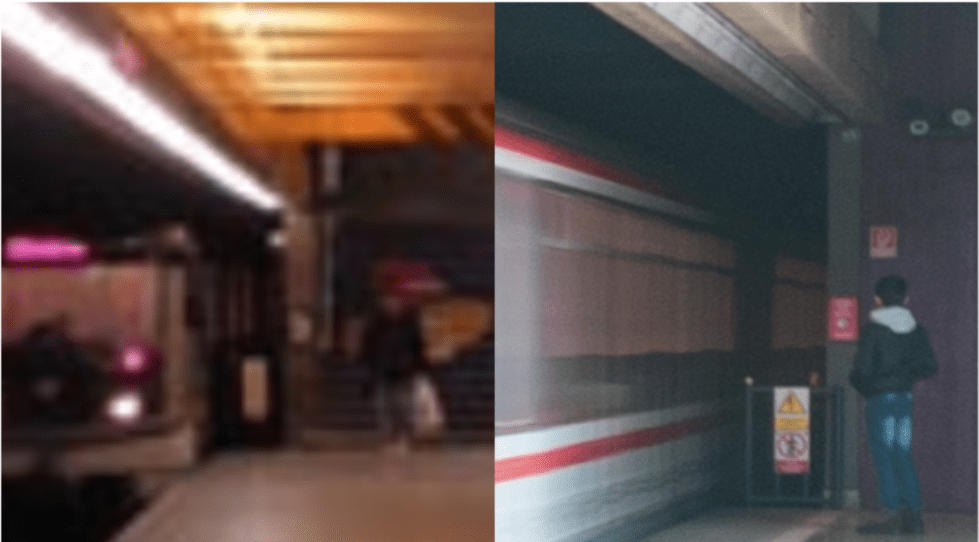
This is similar, but in the image we are looking to locate, we cannot see the stairs, which should be clearly visible if we were on this platform.
If we use the video found at https://www.youtube.com/watch?v=At5DoEh5MNE, we can see this in better detail. Pausing at around the 1:54 minute mark, we can see that if the image was taken here, we would see the stairs, and we do not.
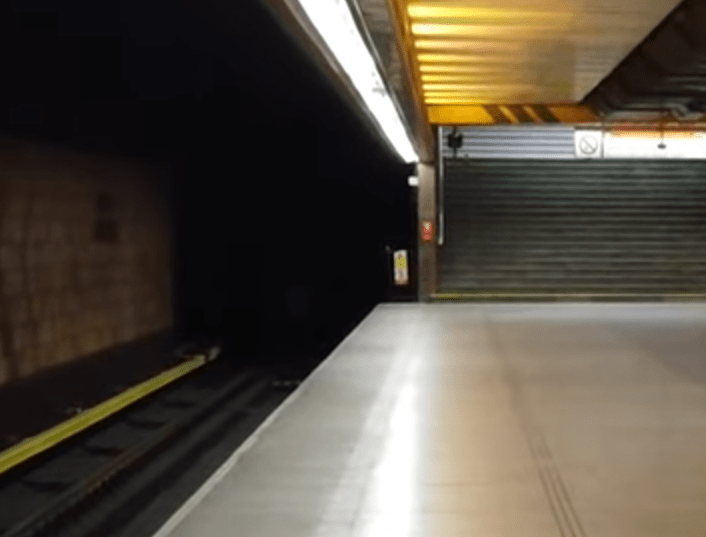
We can also see a series of lines in the floor that would (just) appear in the image if the photo was taken here, but they are not present.
We can also use the video to check the right hand end of platform two.
Pausing at around the 2:28 minute mark,
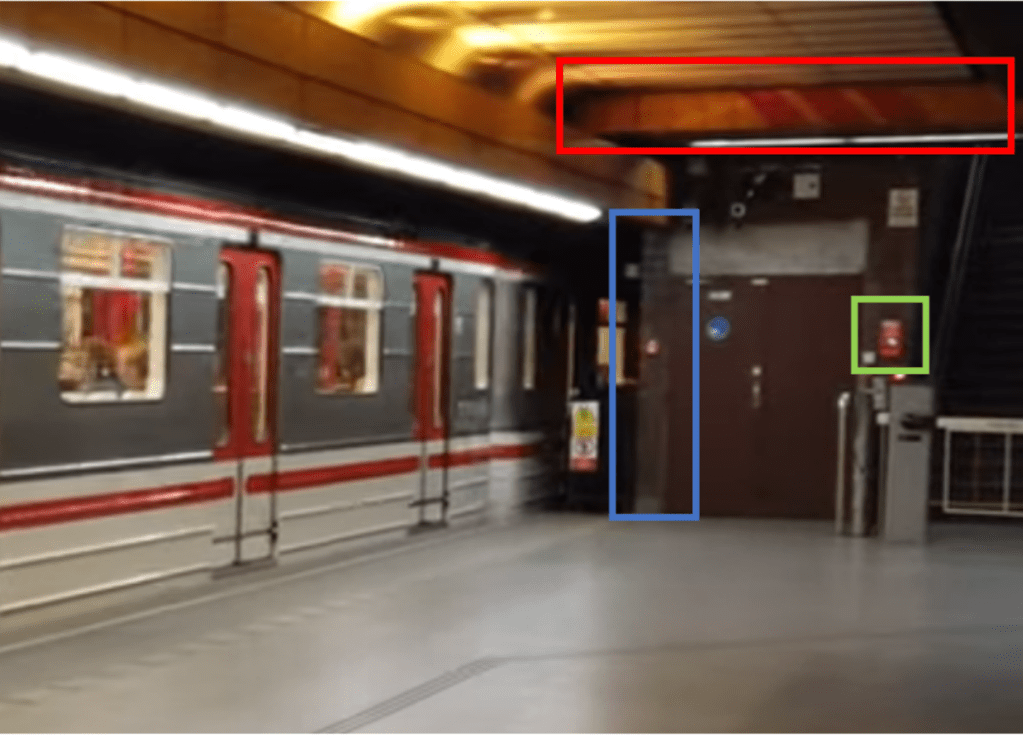
This is close, but there are some details that do not quite tie in. The colour of the top of the door could obviously have changed, but there is also the fact that here the end section of wall (highlighted in blue) appears to be tiled, but is solid green in the image we are looking to locate. There is a horizontal beam structure (red), that is not present in the image we are looking to locate, and the red object (in green – it is actually the emergency stop button, show below) is in the wrong location.
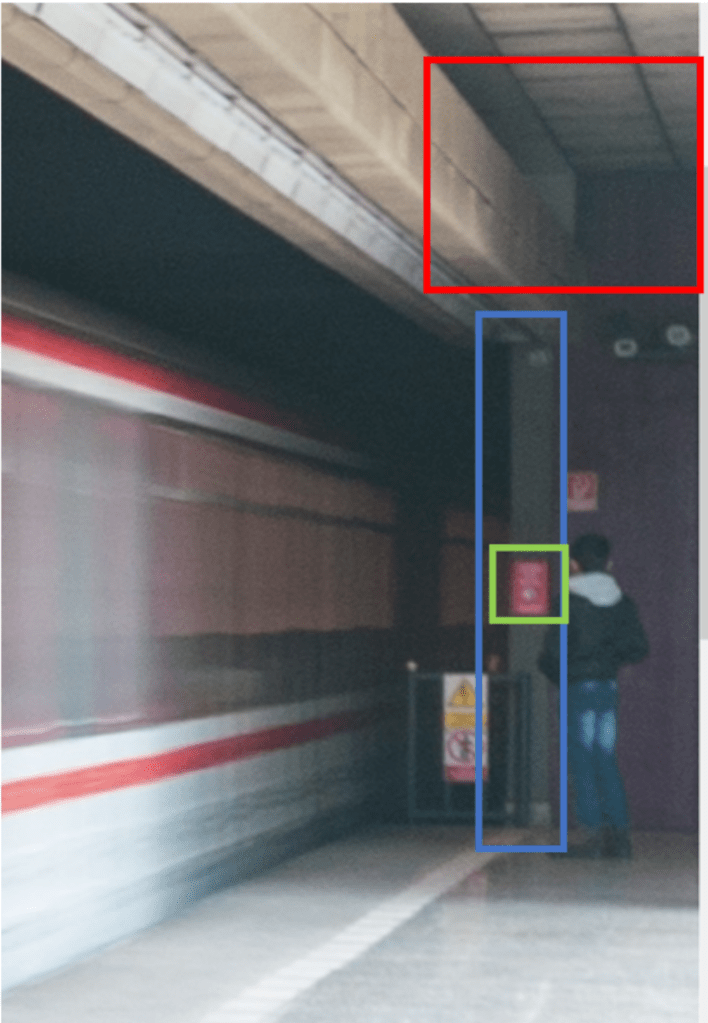

I did realise however, that there is a really key point in the image that we are looking to locate that I had missed. While the lights are an unusual design, more importantly, they are turned off. This does beg the question of how the platform is lit, and linking to my comments earlier, it appears that this is via natural light, meaning that this platform is most likely above ground.
Examining the image to be located again, you can see that the light is coming from the right. We can also see some shadows, possibly indicating pillars or other objects present:

When I saw the image of Hurka station on the Wikipedia list, then then made sense:
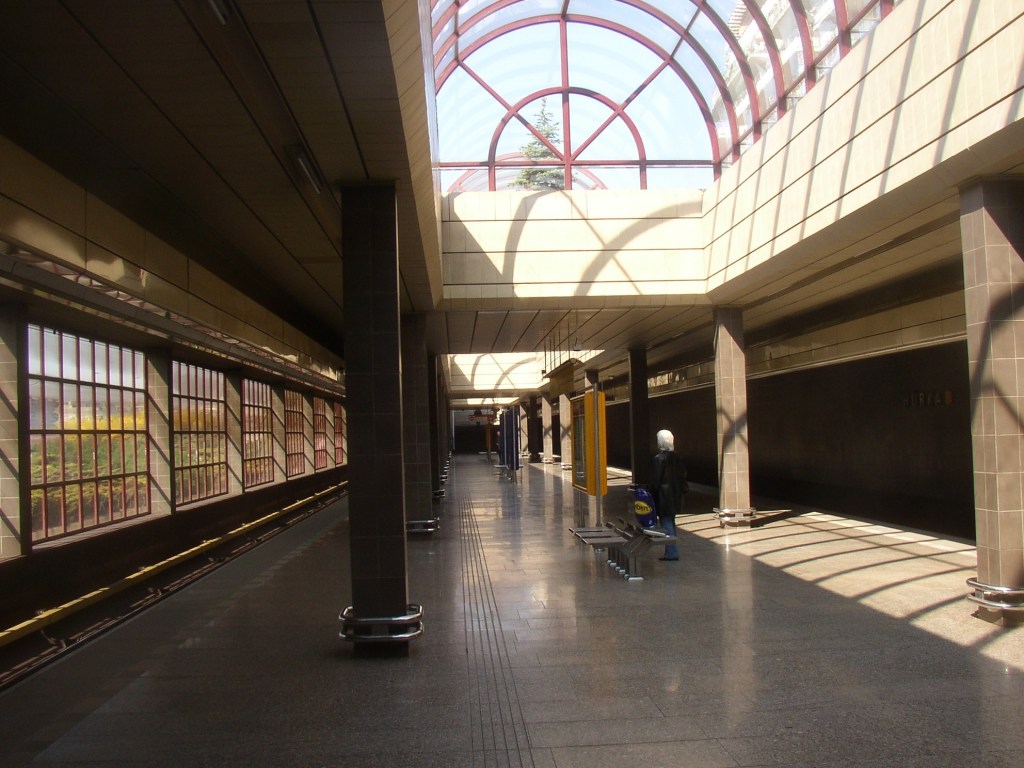
We have light from above, and from one side of the platform.
I was able to find a video of the platform at https://www.youtube.com/watch?v=zAa1mWGt_rU, and pulled this image from around the 2:03 minutes mark:
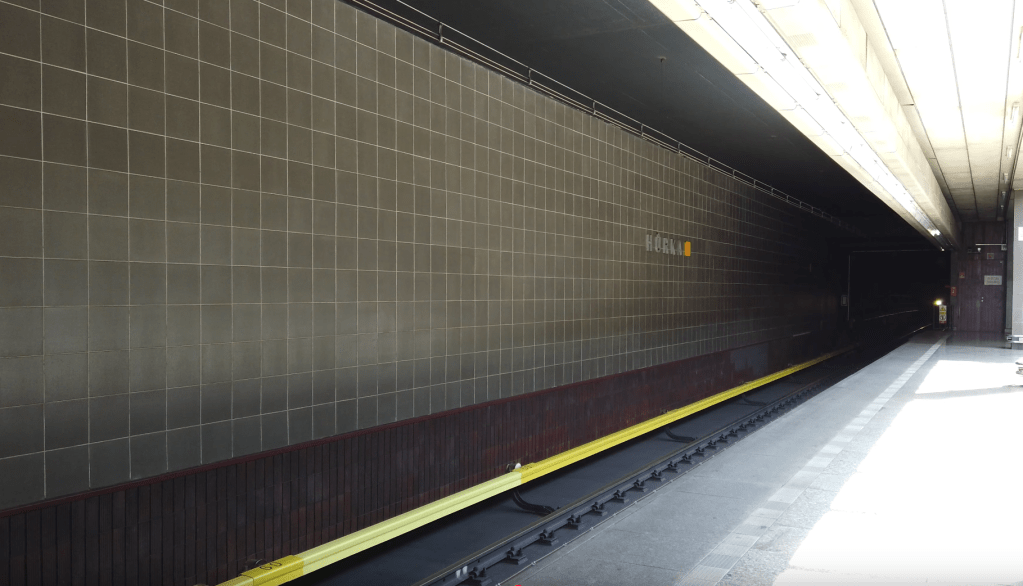
We can see the lights are a good match, the tiles on the floor and wall are a good match, and we have a possible match at the end of the platform, with the warning signs and emergency button all in the right place.
I then pulled the below from around the 2:10 mark. Note that the destination listed on the front of the train is Zlicin.
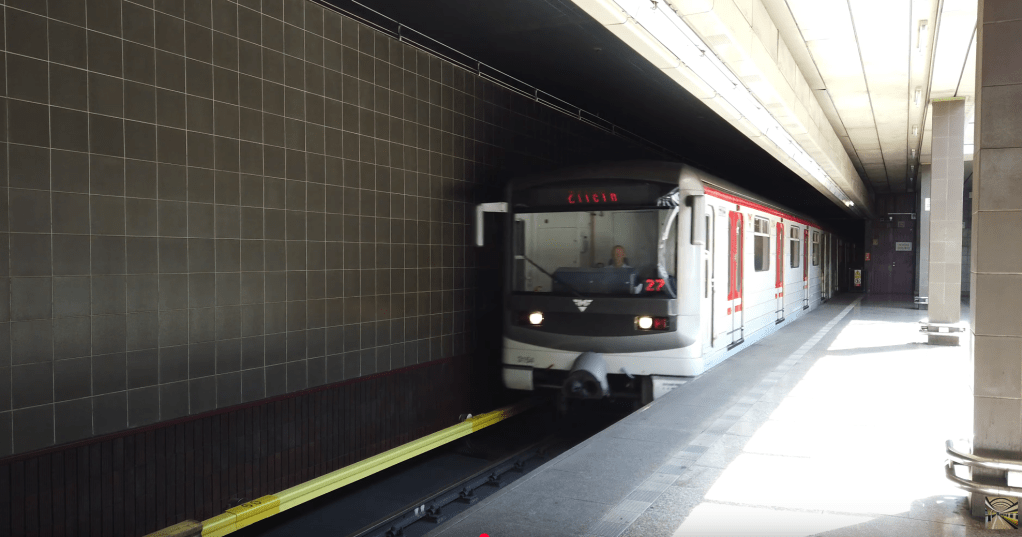
We can see that the light patterns are also about right. Running a comparison:
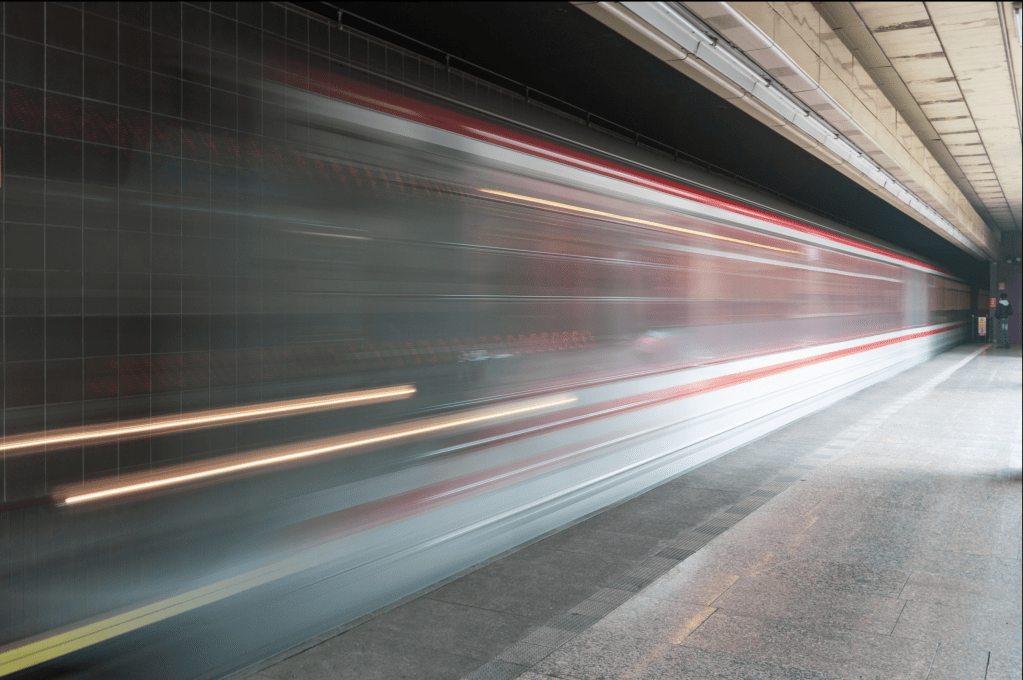
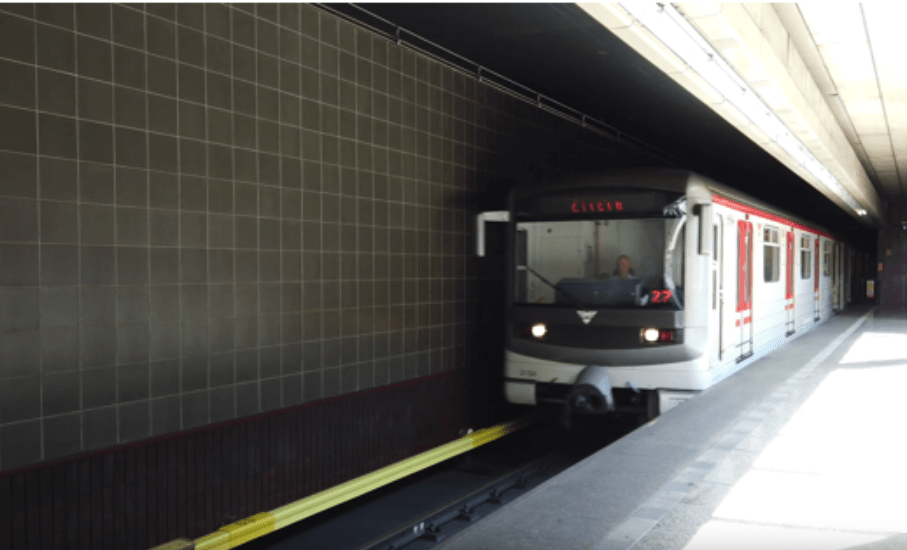
This is an almost perfect match. There are no issues such as the horizontal structure that we saw in Nove Butovice.
To note, as well as the potential difficulties in matching the light, the image cannot be on the other platform, as the end of the platform looks different, as shown in another still from the YouTube video shown below:
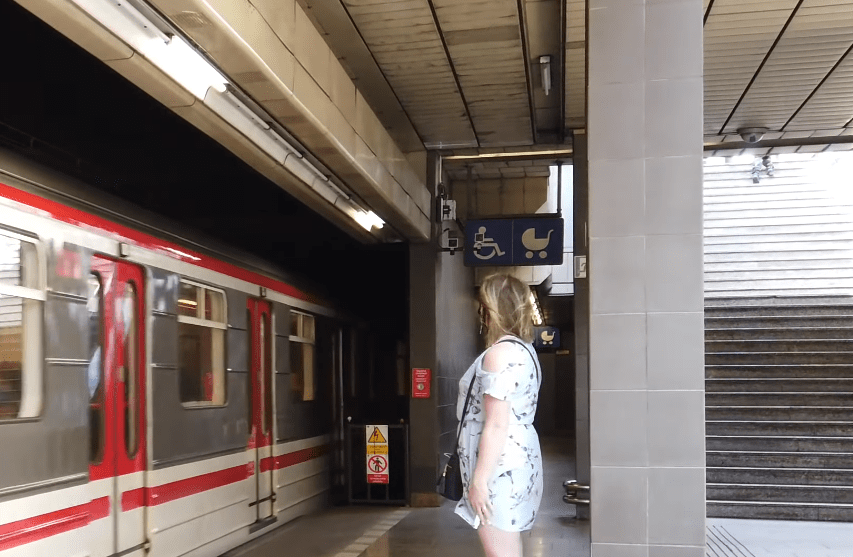
It is also worth noting that, as with Nove Butovice, Hurka only has two tracks and an island platform:

Back to our matching images from the video, at around 0:57, we can see that the platform we are interested in is platform 1, heading towards Zlicin, this matches what was shown on the front of the train.

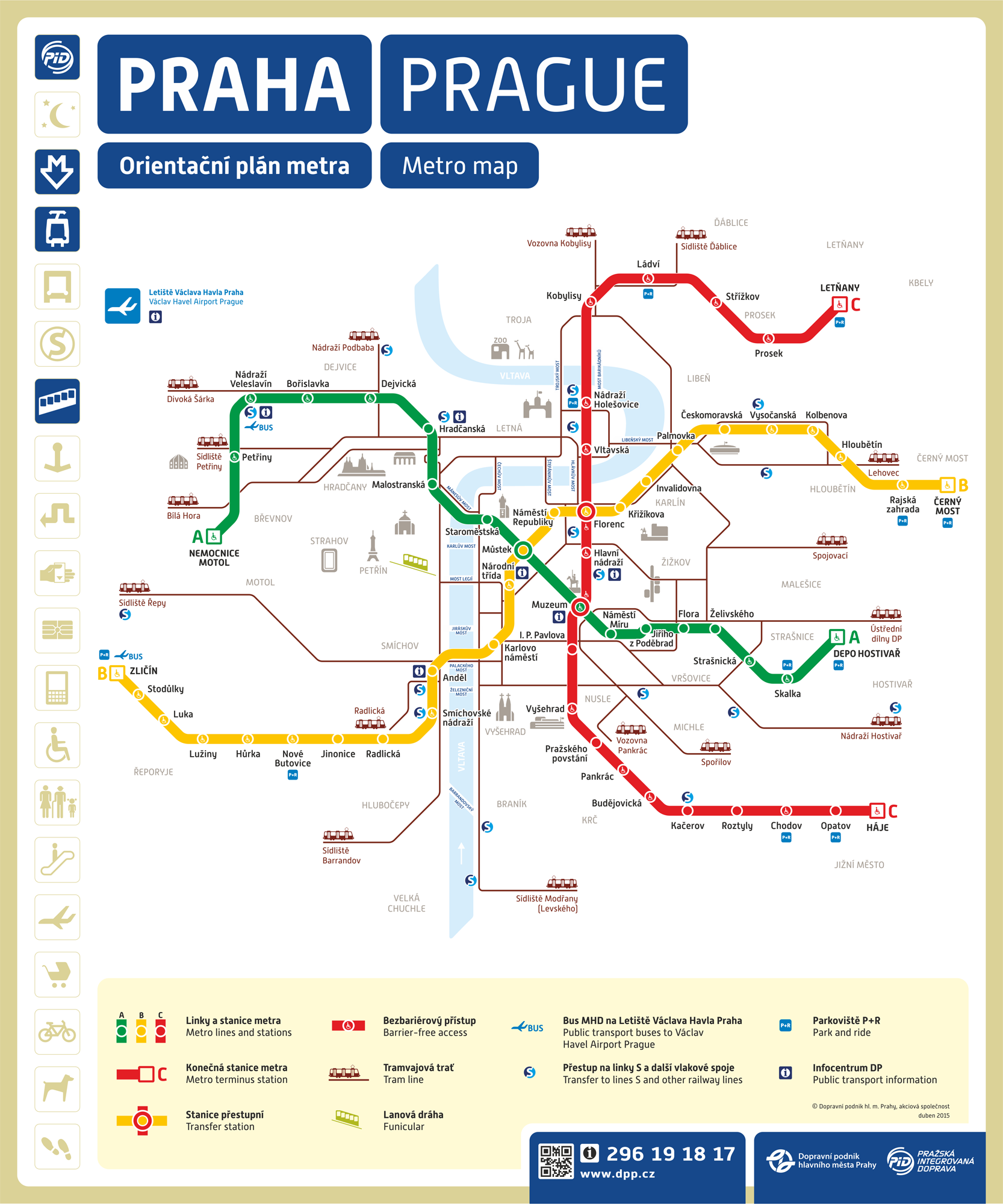
Based on the metro map (https://czech-transport.com/images/01_metro_orientation_plan.png), Hurka is on line B (one station on from Nove Butovice). We can see below, that Zlicin is one of the two terminus stations on line B (the other being Cerny Most, not depicted in the screenshot below).
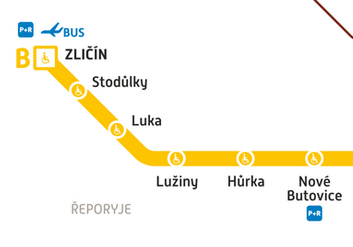
We know we are headed in the direction of Zlicin, this is the destination for the train in the video we found, and this is also the terminus.
Solution: Zlicin


One thought on “Bellingcat Challenge – Week 3 Writeup”